Service Box plugin is display your service showcase on any WordPress post & page with unlimited color scheme using drag & drop Api
★ 4.8/5 (93)2,000+ active installations
- Version
- 1.5.8
- WordPress
- 5.0+
- Updated
- 26 Dec 2024
View plugin details ↗Upgrade your default WordPress gallery into a beautiful, mobile-friendly lightbox popup. Supports images, videos, and 3 unique gallery styles.
90+ active installations
- Version
- 1.2.2
- WordPress
- 5.4+
- PHP
- 7.4+
- Updated
- 28 Jul 2026
View plugin details ↗Perfectly Integrates latest font awesome icons with your wordpress site as well as adds an Icon insert button in Tiny MCE wordpress editor.
★ 4.5/5 (2)100+ active installations
- Version
- 2.3.1
- WordPress
- 3.0+
- PHP
- 5.4+
- Updated
- 4 Dec 2024
View plugin details ↗AJAX filter & WooCommerce product filter. Filter posts, CPTs & products by category, taxonomy, attribute & price. Build with drag & drop or AI (MCP).
★ 4.9/5 (159)6,000+ active installations
- Version
- 3.2
- WordPress
- 6.0+
- PHP
- 7.4+
- Updated
- 13 Nov 2026
View plugin details ↗Business Reviews helps you display Google, Facebook, and Yelp reviews easily on your WordPress site to build trust and boost your business reputation.
★ 5.0/5 (1)1,000+ active installations
- Version
- 1.0.22
- WordPress
- 6.5+
- PHP
- 7.2+
- Updated
- 17 Nov 2026
View plugin details ↗Showcase modern sections, WooCommerce storefronts, and global headers & footers with adaptive design-system styling for Elementor.
100+ active installations
- Version
- 1.6.1
- WordPress
- 5.8+
- PHP
- 7.4+
- Updated
- 25 Nov 2026
View plugin details ↗Need a Before After Image Comparison slider? Create your before and after slider with BEAF. Addon for Elementor Before and After Slider is included.
★ 4.9/5 (109)30,000+ active installations
- Version
- 4.7.23
- WordPress
- 6.8+
- PHP
- 7.4+
- Updated
- 24 Nov 2026
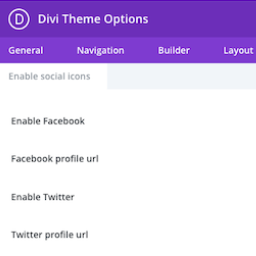
View plugin details ↗This plugin adds the ability to add more social icons to your website when using the Divi theme.
★ 5.0/5 (4)1,000+ active installations
- Version
- 1.8.1
- WordPress
- 5.1+
- PHP
- 5.4+
- Updated
- 7 May 2026
View plugin details ↗Speed up WordPress by disabling unused features — emojis, embeds, query strings, XML-RPC, RSS and more — for fewer requests and faster pages.
★ 4.1/5 (45)10,000+ active installations
- Version
- 2.2.3
- WordPress
- 6.4+
- PHP
- 7.4+
- Updated
- 13 Jun 2026
View plugin details ↗All-in-one products search and filtering solution for your WooCommerce shop with rich features and customization options.
★ 4.8/5 (44)1,000+ active installations
- Version
- 1.8.5
- WordPress
- 6.3+
- PHP
- 7.4+
- Updated
- 9 Oct 2026
View plugin details ↗Make your WooCommerce Notices (sucess, info, and error) more visible to your customers by turning them into popups
★ 4.8/5 (12)1,000+ active installations
- Version
- 1.5.8
- WordPress
- 6.1+
- PHP
- 5.6.0+
- Updated
- 23 Nov 2026
View plugin details ↗Display live chat floating icons of any social media like WhatsApp, Messenger, Telegram, etc on your WordPress website.
10+ active installations
- Version
- 1.1.1
- WordPress
- 5.9+
- PHP
- 7.4+
- Updated
- 27 Oct 2026
View plugin details ↗