

Modern photo & video gallery: drag-and-drop upload, bulk editing, EXIF, masonry, justified, tiles and slider layouts, 25 hover effects, lightbox.
★ 5.0/5 (3)40+ active installations
- Version
- 2.0.0
- WordPress
- 6.2+
- PHP
- 7.4+
- Updated
- 6 Nov 2026
WORDPRESS RESOURCES
Explore public plugin information from the official WordPress.org directory. Compare what a plugin does, its requirements and update history before adding it to your website.
Explore WordPress hosting →2,021 matching plugins reported by WordPress.org · Page 11 of 50
Source: WordPress.org
Data refreshed 22 Nov 2026 22:33 UTC
Modern photo & video gallery: drag-and-drop upload, bulk editing, EXIF, masonry, justified, tiles and slider layouts, 25 hover effects, lightbox.

By Qode
Qi Addons for Elementor is a comprehensive library of 60+ custom, flexible & easily styled Elementor widgets developed by Qode Interactive.
The fastest, GDPR-compliant all in one social feed. Display blazing-fast Instagram, Facebook, TikTok, YouTube & X feeds in a beautiful Social Wall.

Display your WooCommerce products in a responsive Product Slider, Product Carousel, or Product Grid Gallery with easy customization.
Show client logos and WooCommerce brand logos in a responsive logo slider, carousel, grid or flexbox layout, with a Gutenberg block or shortcode.

By rbplugins
Image Widget - most simple and fast way to create image widget to your sidebar
3000+ Elementor & Gutenberg templates, 220+ widgets and an AI widget builder for Elementor, Gutenberg & Bricks. Build from Claude or Cursor via MCP.

By Ays Pro
QUIZ MAKER plugin allows you to make an unlimited number of Quizzes, Exams and Tests

By Debuggers Studio
Marquee Addons is a smooth video, text, image, and testimonial marquee carousel loop plugin for Elementor on WordPress
3D FlipBook is PDF Viewer, allowing to browse images, PDFs or HTMLs as flipbook. Flipbook attracts user attention and makes more impression on him.
By karl.kranich
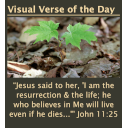
Six days a week a new photo and scripture reference will appear from The Visual Bible Verse of the Day at visualverse.thecreationspeaks.com.
Create sticky / fixed / popup bubble and flyout sidebars and add your widgets to it.
CHOOSE WHAT YOUR WEBSITE NEEDS
Start with the task you need to solve. Compare features, WordPress and PHP requirements, update history and the author’s documentation. Test changes on a private copy and avoid adding several plugins for the same job.
This independent directory displays plugin information on WebFulHost and links to the official source. Packages are not mirrored or installed here. A plugin can include paid extensions or services with separate terms from its author.




