

Show your team with blocks or shortcodes in Grid, Carousel, List, Isotope filter, and Org Chart layouts. Responsive, no code needed.
★ 4.7/5 (92)4,000+ active installations
- Version
- 4.0.0
- WordPress
- 6.6+
- PHP
- 7.4+
- Updated
- 18 Nov 2026
WORDPRESS RESOURCES
Explore public plugin information from the official WordPress.org directory. Compare what a plugin does, its requirements and update history before adding it to your website.
Explore WordPress hosting →618 matching plugins reported by WordPress.org · Page 11 of 50
Source: WordPress.org
Data refreshed 24 Nov 2026 04:30 UTC
Show your team with blocks or shortcodes in Grid, Carousel, List, Isotope filter, and Org Chart layouts. Responsive, no code needed.
Design, issue, and verify certificates on your own site. A drag-and-drop designer, automatic awards from popular LMS plugins, and scannable QR proof.

By Web Guy
Display icons for your social media profile links.
Add lightweight social share buttons to WordPress posts and pages. Gutenberg-native, fully customizable, with shortcode support and share themes.

By mirrorapp
Embed a LinkedIn feed on WordPress via Mirror App - no API keys, tokens, or coding required.

WooCommerce builder for Elementor & Gutenberg, offering product templates, product sliders, shopping cart, quick view, Woo Wishlist, product filter.
Auto post to Instagram, Facebook, LinkedIn, Pinterest, X, and more. Posts, custom post types, optional WooCommerce products — free plan.

By Walter Pinem
Easily build your own micro landing page showing all the links you want to share to engage your audience. Use your own brand, link it anywhere.
The easiest way to connect Google Analytics 4 to WordPress. See real-time stats, eCommerce, and events tracking, right in your dashboard.

By Nikita Hlopov
A collection of social elements (share buttons, profile links, and more) for WPBakery Page Builder.
Write posts, product copy and marketing content inside WordPress with your own OpenAI, Claude, OpenRouter or Deepseek key.
By RS WP THEMES
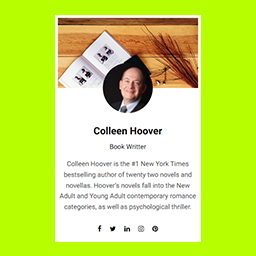
A simple and lightweight widget to display an author's name, profile image, short description, and social media links in any sidebar or widget area.
CHOOSE WHAT YOUR WEBSITE NEEDS
Start with the task you need to solve. Compare features, WordPress and PHP requirements, update history and the author’s documentation. Test changes on a private copy and avoid adding several plugins for the same job.
This independent directory displays plugin information on WebFulHost and links to the official source. Packages are not mirrored or installed here. A plugin can include paid extensions or services with separate terms from its author.




