Visitor statistics for WordPress with focus on data protection, transparency and clarity. Perfect as a widget in your WordPress Dashboard.
★ 4.8/5 (51)100,000+ active installations
- Version
- 2.0.4
- WordPress
- 5.1+
- PHP
- 7.4+
- Updated
- 7 Nov 2026
View plugin details ↗Add browser-based webcam, screen, audio and photo recording fields to WordPress comments and custom forms.
50+ active installations
- Version
- 2.4.2
- WordPress
- 6.9+
- PHP
- 8.2+
- Updated
- 20 Nov 2026
View plugin details ↗Search Regex adds a powerful set of search and replace functions to WordPress posts, pages, custom post types, and other data.
★ 4.7/5 (101)100,000+ active installations
- Version
- 3.5.1
- WordPress
- 6.6+
- PHP
- 7.4+
- Updated
- 6 Oct 2026
View plugin details ↗Add Meta Pixel with Conversion API, Google Analytics (GA4) + Consent Mode, Google Tag Manager, OpenAI Pixel & API, and Head & Footer scripts.
★ 4.3/5 (281)400,000+ active installations
- Version
- 11.4.5
- WordPress
- 4.4+
- PHP
- 5.4+
- Updated
- 4 Nov 2026
View plugin details ↗A powerful anti-spam plugin that silently discards spam comments without showing any error page.
★ 5.0/5 (6)10,000+ active installations
- Version
- 3.9
- WordPress
- 6.0+
- Updated
- 26 Aug 2026
View plugin details ↗Invisible spam protection for every form, login and checkout. No puzzles, no checkboxes, no lost visitors — a CAPTCHA your users never see.
★ 4.8/5 (51)5,000+ active installations
- Version
- 6.4.0
- WordPress
- 4.8+
- PHP
- 7.1+
- Updated
- 17 Nov 2026
View plugin details ↗Auto-Close keeps your site clean by automatically closing comments, pingbacks, and trackbacks—so you can focus on content, not cleanup.
★ 5.0/5 (2)200+ active installations
- Version
- 3.2.2
- WordPress
- 6.6+
- PHP
- 7.4+
- Updated
- 3 Nov 2026
View plugin details ↗Easily add code snippets in WordPress. Insert header & footer scripts, add PHP code snippets with conditional logic, insert ads pixel code, and more.
★ 4.9/5 (1,937)3,000,000+ active installations
- Version
- 2.4.2
- WordPress
- 5.0+
- PHP
- 7.0+
- Updated
- 12 Nov 2026
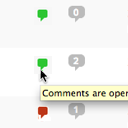
View plugin details ↗Conveniently close or open comments for a post or page with one click from the admin listing of posts.
★ 4.9/5 (10)5,000+ active installations
- Version
- 3.0
- WordPress
- 4.7+
- Updated
- 17 Apr 2025
View plugin details ↗All the power of WordPress, without a blog.
★ 4.7/5 (14)20,000+ active installations
- Version
- 0.5.6
- WordPress
- 5.9+
- PHP
- 7.4+
- Updated
- 15 Nov 2026
View plugin details ↗Disable Source(Ctrl+U), Disable Right click, Disable F12 functional key, and Disable save the page(Ctrl+S) and Content Protection of your WordPress We …
★ 4.9/5 (103)10,000+ active installations
- Version
- 1.8.5
- WordPress
- 4.7+
- PHP
- 5.3+
- Updated
- 13 Nov 2026
View plugin details ↗Add modules: share buttons, header/footer scripts, disable comments, reading progress, custom fonts, custom login & more in one plugin.
★ 4.8/5 (318)100,000+ active installations
- Version
- 3.0.14
- WordPress
- 5.3+
- PHP
- 7.4+
- Updated
- 16 Nov 2026
View plugin details ↗