

WPC Smart Messages for WooCommerce
By WPClever
WPC Smart Messages help you display messages throughout your store through smart conditional logic settings.
★ 4.3/5 (6)1,000+ active installations
- Version
- 4.3.6
- WordPress
- 5.9+
- Updated
- 20 Nov 2026
WORDPRESS RESOURCES
Explore public plugin information from the official WordPress.org directory. Compare what a plugin does, its requirements and update history before adding it to your website.
Explore WordPress hosting →497 matching plugins reported by WordPress.org · Page 11 of 42
Source: WordPress.org
Data refreshed 23 Nov 2026 00:51 UTC
By WPClever
WPC Smart Messages help you display messages throughout your store through smart conditional logic settings.

By wallee
Accept payments in WooCommerce with wallee.

By brainbean
Transform your warehouse logistics with Brainbean Pick and Pack! A high-fidelity order picking and packing module for WooCommerce.
By Dmitry V. (CEO of "UKR Solution")
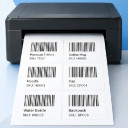
WooCommerce barcode generator for product and order labels & price tags. Easily print label with your printer (UPC, EAN, GS1, GTIN, QRcode).
Copy Anything to Clipboard is the #1 WordPress copy-to-clipboard plugin trusted by 10,000+ active websites with 352,151+ downloads 🚀.

By Sunlime Web Innovations GmbH
This plugin extends WooCommerce and allows exporting orders to the PLC-portal of the Austrian Post.
Create sales reports and order exports for WooCommerce with product analytics, order fulfillment data, filtering, charts, and 15+ templates.

By artiosmedia
This plugin will allow a user to add up to two additional internal product identifiers to the order process in addition to the GTIN, EAN, SKU, or UPC.

By plantripio
Embed a free interactive travel packing checklist in any post or page. Readers check off items as they pack — progress saves automatically.

By ateqa
Packing station interface for WooCommerce: live order feed, configurable modal, automatic field discovery, and optional stock and order control.

By Close·technology
Connect WooCommerce with multiple ERPs/CRMs at once. Instant product sync via webhooks. Products, clients, orders. EU VAT and Verifactu.

PDF invoices, packing slips, delivery notes and shipping labels for WooCommerce, with built-in RTL, Pay Now links and a pay-by-invoice gateway.
CHOOSE WHAT YOUR WEBSITE NEEDS
Start with the task you need to solve. Compare features, WordPress and PHP requirements, update history and the author’s documentation. Test changes on a private copy and avoid adding several plugins for the same job.
This independent directory displays plugin information on WebFulHost and links to the official source. Packages are not mirrored or installed here. A plugin can include paid extensions or services with separate terms from its author.

