

Show Pages IDs
By YYDevelopment
This plugin will show the IDs of posts and pages on the admin bar and on the admin panel.
★ 5.0/5 (103)10,000+ active installations
- Version
- 1.5.6
- WordPress
- 5.0+
- PHP
- 5.2.4+
- Updated
- 13 Aug 2026
WORDPRESS RESOURCES
Explore public plugin information from the official WordPress.org directory. Compare what a plugin does, its requirements and update history before adding it to your website.
Explore WordPress hosting →10,000 matching plugins reported by WordPress.org · Page 11 of 50
Source: WordPress.org
Data refreshed 20 Nov 2026 12:21 UTC
By YYDevelopment
This plugin will show the IDs of posts and pages on the admin bar and on the admin panel.

By WP Socio
Integrate your WordPress site perfectly with Telegram with full control.
Create unlimited Media Library folders and subfolders to organize your files. Export Media Library folders, set default attributes & more.

By LiteSpeed Technologies
All-in-one unbeatable acceleration & PageSpeed improvement: caching, image/CSS/JS optimization...

By Ruben Garcia
Setup activity triggers by post categories on GamiPress

By properfraction
kk Star Ratings allows blog visitors to involve and interact more effectively with your website by rating posts.

By Miguel Useche
A simple Gutenberg block and JS widget (can be called from posts) for displaying categories in a list with some effects.

By Akshar Addons
Boost your website with a responsive WordPress FAQ plugin and accordion plugin to display category posts, product FAQs, and load more posts with ease.
90+ Elementor widgets & addons, 600+ templates, Mega Menu, WooCommerce, Display Conditions. The only Elementor addon AI agents can fully build with.

By thingsym
Custom Post Type Widgets plugin adds default custom post type widgets.
By WP-EXPERTS.IN
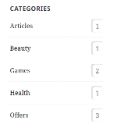
Display the list of categories for any taxonomies type (WooCommerce Product Category, Blog Category, Project Category...etc) in sidebar

By Jb Audras
Automatically insert blocks of content before and/or after each posts/page content.
CHOOSE WHAT YOUR WEBSITE NEEDS
Start with the task you need to solve. Compare features, WordPress and PHP requirements, update history and the author’s documentation. Test changes on a private copy and avoid adding several plugins for the same job.
This independent directory displays plugin information on WebFulHost and links to the official source. Packages are not mirrored or installed here. A plugin can include paid extensions or services with separate terms from its author.

