Roomcloud
By Tecnes Milano Srl
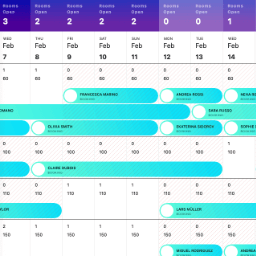
Roomcloud Booking Engine Wordpress Plugin
★ 5.0/5 (1)200+ active installations
- Version
- 2.0.32
- WordPress
- 4.0.1+
- PHP
- 7.0.0+
- Updated
- 3 Apr 2026
WORDPRESS RESOURCES
Explore public plugin information from the official WordPress.org directory. Compare what a plugin does, its requirements and update history before adding it to your website.
Explore WordPress hosting →374 matching plugins reported by WordPress.org · Page 11 of 32
Source: WordPress.org
Data refreshed 28 Nov 2026 09:04 UTC
By Tecnes Milano Srl
Roomcloud Booking Engine Wordpress Plugin

AI ChatBot for Support, Leads and Sales, with AI SEO, AI Writer, Email Marketing, Social Media Scheduling and Heatmaps to GROW your Website & Business

By Jonathan Jernigan
Events calendar - the simple way. Easily display any WordPress post as an event on a flexible front-end calendar. Supports any post type.

By Jotform
AI chatbot that automates support, answers FAQs, drives WooCommerce sales, generates leads, and boosts engagement — easy setup, no coding!

By wpdevelop
Sending friendly email reminders or follow-up emails based on custom rules.
By Usman Ali
Multiple listing grids and a full booking engine for property rentals, car hire, tours, services, and appointments on WordPress.

By Formula Agile
Recover the conversions the browser blocks: server-side tracking for GA4, Meta and TikTok, self-hosted on your WordPress, only after consent.
StayLodgic is a user-friendly property management system designed specifically for small to medium hotels, guesthouses, and vacation rentals.

By havenswift-hosting
Estate agency software: property listings, filtered and map search, an area the visitor draws, enquiries and client records.
Boost conversions with real-time social proof popups and user activity notifications, encouraging visitor actions on your WordPress site.

By alphaobs
A complete property management and booking plugin integrated with WooCommerce.

By Zenchef
This plugin allows you to integrate your restaurant's Zenchef reservation widget directly on all pages of your website.
CHOOSE WHAT YOUR WEBSITE NEEDS
Start with the task you need to solve. Compare features, WordPress and PHP requirements, update history and the author’s documentation. Test changes on a private copy and avoid adding several plugins for the same job.
This independent directory displays plugin information on WebFulHost and links to the official source. Packages are not mirrored or installed here. A plugin can include paid extensions or services with separate terms from its author.