
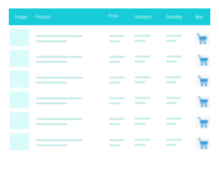
A truly lightweight, EASY to use and super FAST WooCommerce product table solution to add multiple products to cart at once.
★ 4.8/5 (24)400+ active installations
- Version
- 9.1.1
- WordPress
- 4.9+
- PHP
- 7.0+
- Updated
- 30 Sep 2026
WORDPRESS RESOURCES
Explore public plugin information from the official WordPress.org directory. Compare what a plugin does, its requirements and update history before adding it to your website.
Explore WordPress hosting →2,126 matching plugins reported by WordPress.org · Page 11 of 50
Source: WordPress.org
Data refreshed 20 Nov 2026 15:26 UTC
A truly lightweight, EASY to use and super FAST WooCommerce product table solution to add multiple products to cart at once.

By Rezgo
Sell your tours, activities, and events on your WordPress website using Rezgo.
Restaurant menu plugin for WordPress with food menu display, online food ordering, free table reservation, tips and WooCommerce.

By Sina Extra
A collection of advanced features including Header & Footer Builder, Theme Builder, Popup Builder, 58 elements, 100+ free templates and more.

By jetmonsters
Create and maintain modern online menus for almost any kind of restaurant. Sell food and beverages online. All in one plugin.
90+ Gutenberg Blocks & AI Website Builder with 1000+ Templates. Complete Page Builder, Popup Builder, Mega Menu, Form Builder & More. No Code.
WPC Added To Cart Notification will open a popup to notify the customer immediately after adding a product to the cart.

By mra13 / Team Tips and Tricks HQ
Easily accept payments on your WordPress site via Stripe payment gateway.

By Easy Payment
Accept payments through UPI, Cards, and Net Banking — developed by an official PhonePe Partner.
By N-QUBE INTERACTIVE
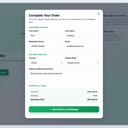
Add WhatsApp checkout to WooCommerce with product-page ordering, checkout handoff, shipping totals, and normal WooCommerce orders.

By WPClever
WPC Smart Wishlist is a simple but powerful tool that can help your customer save products for buying later.
Cookieless, privacy-friendly WordPress analytics. Clear graphs and visitor data kept on your own server.
CHOOSE WHAT YOUR WEBSITE NEEDS
Start with the task you need to solve. Compare features, WordPress and PHP requirements, update history and the author’s documentation. Test changes on a private copy and avoid adding several plugins for the same job.
This independent directory displays plugin information on WebFulHost and links to the official source. Packages are not mirrored or installed here. A plugin can include paid extensions or services with separate terms from its author.



