

Send your Forminator Forms data directly to your Google Sheet in a real-time.
★ 5.0/5 (2)1,000+ active installations
- Version
- 2.0.1
- WordPress
- 5.6+
- PHP
- 7.4+
- Updated
- 9 Oct 2026
WORDPRESS RESOURCES
Explore public plugin information from the official WordPress.org directory. Compare what a plugin does, its requirements and update history before adding it to your website.
Explore WordPress hosting →3,815 matching plugins reported by WordPress.org · Page 11 of 50
Source: WordPress.org
Data refreshed 20 Nov 2026 21:36 UTC
Send your Forminator Forms data directly to your Google Sheet in a real-time.

By PI Web Solution
Fake sales alert for WooCommerce or Live sales notification for WooCommerce. Boost sales by encouraging your visitors to buy when they see your live n …

Sync Elementor Forms, Elementor Atomic Forms, and MetForm to Google Sheets in real-time with secure Google Sheets integration and automatic form submi …

By ZealousWeb
Track Geolocation Of Users Using Contact Form 7 allows you to get geolocation information with their form submission.
By scribu
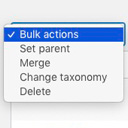
Allows you to merge terms, move terms between taxonomies, and set term parents, individually or in bulk.

WooCommerce Google Sheet Connector automatically syncs orders, products, customers, coupons, and variations to Google Sheets.

By wpoperations
Add Contact Form 7 submissions to ActiveCampaign automatically. Simple, reliable ActiveCampaign integration for Contact Form 7 leads.

By Themekraft
Display data submitted with BuddyForms on the front end, through hooks or dynamic content templates for the single view of any post type.

By Cognito Forms
Create responsive contact forms, order forms, registration forms and more. With PCI, CCPA, and HIPAA compliance.

By add-ons.org
PDF Builder for Contact Form 7 helps you create custom PDF documents from form submissions using a powerful drag-and-drop template builder.

The best drag-and-drop Popup Builder for WordPress. Create Popups, exit-intent popups, slide-ins, and lead generation forms & Woocommerce popups i …

By kudlav
No spam in comments. No captcha.
CHOOSE WHAT YOUR WEBSITE NEEDS
Start with the task you need to solve. Compare features, WordPress and PHP requirements, update history and the author’s documentation. Test changes on a private copy and avoid adding several plugins for the same job.
This independent directory displays plugin information on WebFulHost and links to the official source. Packages are not mirrored or installed here. A plugin can include paid extensions or services with separate terms from its author.