Restrict content based on login status, user roles, device type & more. Monetize your content with a paywall or members-only content.
★ 4.9/5 (576)40,000+ active installations
- Version
- 2.7.4
- WordPress
- 6.2+
- PHP
- 7.4+
- Updated
- 29 Sep 2026
WORDPRESS RESOURCES
Explore public plugin information from the official WordPress.org directory. Compare what a plugin does, its requirements and update history before adding it to your website.
Explore WordPress hosting →6,758 matching plugins reported by WordPress.org · Page 11 of 50
Source: WordPress.org
Data refreshed 22 Nov 2026 22:53 UTC
Restrict content based on login status, user roles, device type & more. Monetize your content with a paywall or members-only content.
Restrict content access on your WordPress site based on user roles or login status. Protect posts, pages, or even your entire site with ease.

PublishPress Authors is the best plugin for adding authors, co-authors, multiple authors and guest authors to WordPress posts.
By WP Darko
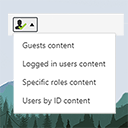
The simplest way of controlling who sees what in your posts/pages. Restrict content to logged in users only (or guests, or by roles) with simple short …
Google-certified CMP: cookie banner, cookie notice and cookie consent for GDPR/CCPA compliance, with cookie blocker, cookie scanner and consent log.
Filter, bulk delete, bulk email, change roles, and export WordPress users to CSV — with built-in WooCommerce customer & order filters.

By Shamim Rajani
Create customized registration forms, Invite through email, Email Notification, User Roles assignment, and more.

By Saad Iqbal
Password protect your WordPress site with one password. Control access, whitelist trusted IPs, and monitor password activity.
Easily show or hide any WordPress block. Schedule block visibility. Restrict blocks to specific screen sizes, user roles, post types, and more.
PublishPress Blocks is the complete solution for the WordPress block editor. Control block permissions, styles, conditional visibility and usage.
EASY to use and super FAST WooCommerce product role based pricing solution to add different prices for different roles.

By AsanaPlugins
WooCommerce discount plugin & dynamic pricing: bulk discount, BOGO, quantity discount, category discount & auto-apply coupons — no coding needed.
CHOOSE WHAT YOUR WEBSITE NEEDS
Start with the task you need to solve. Compare features, WordPress and PHP requirements, update history and the author’s documentation. Test changes on a private copy and avoid adding several plugins for the same job.
This independent directory displays plugin information on WebFulHost and links to the official source. Packages are not mirrored or installed here. A plugin can include paid extensions or services with separate terms from its author.