

which template file
By gilles66
Show the name of the php file of your theme used to display the current page.
★ 5.0/5 (4)4,000+ active installations
- Version
- 5.2.0
- WordPress
- 3.3.0+
- PHP
- 5.6+
- Updated
- 23 Nov 2026
WORDPRESS RESOURCES
Explore public plugin information from the official WordPress.org directory. Compare what a plugin does, its requirements and update history before adding it to your website.
Explore WordPress hosting →7,695 matching plugins reported by WordPress.org · Page 11 of 50
Source: WordPress.org
Data refreshed 25 Nov 2026 03:48 UTC
By gilles66
Show the name of the php file of your theme used to display the current page.

By WordPress.org
A simple and easy way to test your theme for all the latest WordPress standards and practices. A great theme development tool!

By Senff - a11n
Smooth Scroll Page Up/Down Buttons adds buttons that enables your site visitors to easily scroll up or down one screen/page at a time.
Download installed plugins and themes in ZIP files directly from your WordPress admin dashboard, download any or all without FTP or cPanel access.

By Themepure
Pure Metafields is very light weight plugin tused to create custom metabox for any post type like page, post and your custom post type support it.

By iSaumya
Monitor your WP site the right way with most important stats like Database, PHP details, PHP Memory, RAM Usage, CPU load, Server Uptime & more.

By GhozyLab
Image Slider - The best and very easy slider plugin for your post, page or sidebar. 100% Responsive.
By Farhan Noor
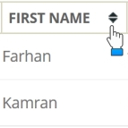
No more old static tables, make your HTML tables sortable.

By WebFactory
Advanced shipping rate for WooCommerce. Calculate rate shipping using country, weight, or price. Supports WooCommerce shipping zones.
Get leads with a floating contact form tab, chat & social buttons like Facebook Messenger, WhatsApp, Viber, Telegram, Twitter, Instagram & more 🎉

By Hitesh Chandwani
A free plugin (add-on) for Asgaros Forum that allow you to easily add Google reCAPTCHA v2 or Google reCAPTCHA v3 on your Asgaros Forum.

By Jeroen Sormani
Products Per Page for WooCommerce is a easy-to-setup plugin that integrates a 'products per page' dropdown on your WooCommerce pages.
CHOOSE WHAT YOUR WEBSITE NEEDS
Start with the task you need to solve. Compare features, WordPress and PHP requirements, update history and the author’s documentation. Test changes on a private copy and avoid adding several plugins for the same job.
This independent directory displays plugin information on WebFulHost and links to the official source. Packages are not mirrored or installed here. A plugin can include paid extensions or services with separate terms from its author.

