

DataCaptia – Open Graph plugin for WordPress
By HT Plugins
Easily enable og information in any website.
20+ active installations
- Version
- 1.0.8
- WordPress
- 5.0+
- Updated
- 10 Aug 2026
WORDPRESS RESOURCES
Explore public plugin information from the official WordPress.org directory. Compare what a plugin does, its requirements and update history before adding it to your website.
Explore WordPress hosting →177 matching plugins reported by WordPress.org · Page 11 of 15
Source: WordPress.org
Data refreshed 29 Nov 2026 09:54 UTC
By HT Plugins
Easily enable og information in any website.

By B2B Managers
Hide products and hide categories by user role in WooCommerce. Product visibility rules for B2B, wholesale, trade-only and members-only catalogs.

By B2B Managers
Quick order form and bulk order form for WooCommerce: search by name or SKU, enter quantities, add many products to the cart in one click.
Hide payment methods and hide shipping methods by user role or for guests in WooCommerce, on both the classic checkout and the block checkout.
Add wholesale pricing, quick ordering, trade registration and approval, quantity rules, customer management, and catalog controls to WooCommerce.
By ProPluginsLab
Sell wholesale from your WooCommerce store: customer groups, wholesale prices, quantity breaks, B2B only products, and trade sign up approval.

By B2B Managers
Request a quote for WooCommerce: a rule-based Add to Quote button and a quote basket separate from the cart. Requests are saved and emailed to you.

By parcelis
Offer shipping insurance to your customers at checkout. Protect orders and increase revenue with Parcelis.

By B2B Managers
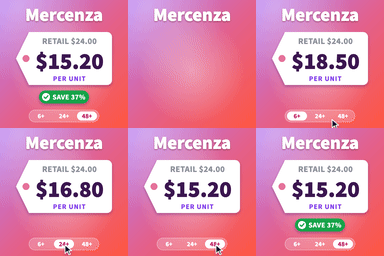
Tiered pricing for WooCommerce: quantity-based bulk discounts per product, with a pricing table and live price updates on the product page.

By B2B Managers
Add a VAT number field to WooCommerce checkout with per-country format validation, and mark trusted B2B customers as tax exempt.
Htevent is a WordPress event management plugin which helps you to show your event.

By Qui Nguyen
Add custom checkout fees and surcharges to WooCommerce. Apply conditional handling fees by cart total, category, shipping method, and location.
CHOOSE WHAT YOUR WEBSITE NEEDS
Start with the task you need to solve. Compare features, WordPress and PHP requirements, update history and the author’s documentation. Test changes on a private copy and avoid adding several plugins for the same job.
This independent directory displays plugin information on WebFulHost and links to the official source. Packages are not mirrored or installed here. A plugin can include paid extensions or services with separate terms from its author.


