

Bottom Admin Toolbar
By M.Code
Stick the WordPress admin bar to the bottom of the screen. Hide it with SHIFT + Down Arrow keyboard shortcut.
★ 4.5/5 (8)1,000+ active installations
- Version
- 1.5.4
- WordPress
- 4.9+
- PHP
- 5.6+
- Updated
- 30 Jul 2026
WORDPRESS RESOURCES
Explore public plugin information from the official WordPress.org directory. Compare what a plugin does, its requirements and update history before adding it to your website.
Explore WordPress hosting →5,372 matching plugins reported by WordPress.org · Page 11 of 50
Source: WordPress.org
Data refreshed 20 Nov 2026 03:59 UTC
By M.Code
Stick the WordPress admin bar to the bottom of the screen. Hide it with SHIFT + Down Arrow keyboard shortcut.
By Roland Murg
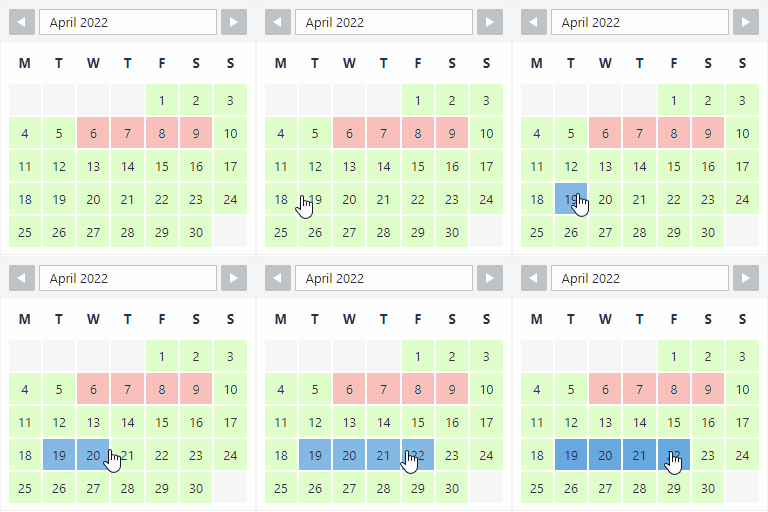
The booking calendar plugin for WordPress. Get easy online booking with this lightweight and powerful booking calendar.
By Roland Murg
This booking calendar shows when something is booked or available. Use it to show when your holiday home is available for rent, for example.

Registration forms, a frontend login form, user profiles and a member directory for WordPress. Add Stripe payments and content restriction.
Show Gutenberg Editor in the Frontend. Display WP Admin Pages in the Frontend. Create custom dashboards in the front end, Allow to Edit in the Fronten …
Simple & easy plugin to add social media sharing icons, buttons like Facebook, Twitter, WhatsApp, Instagram & more
Image optimization in 1‑click: compress, resize & convert to WebP/AVIF – free up to 20MB/month. Enjoy the easiest WordPress image optimizer to set up.

By cedcommerce
Hide product price until the correct password is entered or until login.

By Stephen Walker
Organize WordPress admin menus with role-aware profiles and accessible collapsible groups.

By Vinod Dalvi
Advanced WordPress custom search plugin. Provides Search Form Customizer, WooCommerce Search, AJAX Search & Live Search support!
90+ Elementor widgets & addons, 600+ templates, Mega Menu, WooCommerce, Display Conditions. The only Elementor addon AI agents can fully build with.

Want to boost sales & marketing efforts? Use your favorite forms & builder. Unlimited popups & impressions, keep your data, no monthly subscription.
CHOOSE WHAT YOUR WEBSITE NEEDS
Start with the task you need to solve. Compare features, WordPress and PHP requirements, update history and the author’s documentation. Test changes on a private copy and avoid adding several plugins for the same job.
This independent directory displays plugin information on WebFulHost and links to the official source. Packages are not mirrored or installed here. A plugin can include paid extensions or services with separate terms from its author.



