Modular WordPress security hardening — IP/country blocking, request inspection, file integrity, malware scanning, and real-time alerting.
★ 5.0/5 (1)0+ active installations
- Version
- 1.0.21
- WordPress
- 6.0+
- PHP
- 7.4+
- Updated
- 27 Sep 2026
View plugin details ↗Zero-DB, zero-external-JS honeypot anti-spam for WordPress comments, core forms, and popular form plugins. Invisible to humans, a void to bots.
30+ active installations
- Version
- 1.12
- WordPress
- 5.7+
- PHP
- 7.4+
- Updated
- 21 Nov 2026
View plugin details ↗When this happens, do this. Connect the plugins you already run — WooCommerce, your forms, your CRM — without writing code.
0+ active installations
- Version
- 1.10.0
- WordPress
- 6.4+
- PHP
- 7.4+
- Updated
- 25 Nov 2026
View plugin details ↗The whitelist/blacklist plugin gives you a strong layer of security for your website because not only does the plugin limits unauthorized user access …
★ 3.0/5 (2)30+ active installations
- Version
- 1.0
- WordPress
- 4.0+
- Updated
- 15 Dec 2021
View plugin details ↗BuddyPress for LearnDash integrates the LearnDash LMS plugin with BuddyPress, so you can add groups, activity, members, and forums to your courses.
★ 3.3/5 (18)1,000+ active installations
- Version
- 1.3.0
- WordPress
- 3.8+
- Updated
- 19 Jun 2020
View plugin details ↗Enable signin with Ethereum on your site and allow users to register based on Governance tokens, NFT, and token balance. Demo site here
10+ active installations
- Version
- 0.2.1
- WordPress
- 5.3.1+
- PHP
- 7.0.0+
- Updated
- 28 Dec 2021
View plugin details ↗Not a Vanilla Forum owner? Create one here
★ 2.8/5 (17)100+ active installations
- Version
- 1.3.1
- Updated
- 3 Jul 2020
View plugin details ↗Use Swiftype external crawler engine for your search.
10+ active installations
- Version
- 0.3.8
- WordPress
- 4.0+
- Updated
- 28 Mar 2022
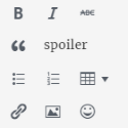
View plugin details ↗TinyMCE editor designed specifically for use in bbPress forums. Includes a spoiler button and full support for spoiler shortcode.
★ 5.0/5 (1)20+ active installations
- Version
- 1.0
- WordPress
- 4.9+
- PHP
- 7+
- Updated
- 29 Mar 2018
View plugin details ↗BuddyPress Activity Privacy plugin add a privacy level to activity stream component.
★ 3.7/5 (23)100+ active installations
- Version
- 1.3.8
- Updated
- 27 Nov 2015
View plugin details ↗BuddyPress for Sensei integrates the WooThemes Sensei plugin with BuddyPress, so you can add groups, activity, members, and forums to your courses.
★ 4.7/5 (12)70+ active installations
- Version
- 1.2.3
- WordPress
- 3.8+
- Updated
- 18 Sep 2018
View plugin details ↗Override display names across your BuddyPress site with usernames.
★ 5.0/5 (7)40+ active installations
- Version
- 0.6
- Updated
- 22 Apr 2013
View plugin details ↗