

Appointment scheduling & event booking plugin for WordPress. Let clients self-schedule 24/7, register for events, and pay at booking.
★ 4.9/5 (109)100,000+ active installations
- Version
- 5.7.10
- WordPress
- 6.5+
- PHP
- 7.4+
- Updated
- 19 Nov 2026
WORDPRESS RESOURCES
Explore public plugin information from the official WordPress.org directory. Compare what a plugin does, its requirements and update history before adding it to your website.
Explore WordPress hosting →678 matching plugins reported by WordPress.org · Page 12 of 50
Source: WordPress.org
Data refreshed 21 Nov 2026 16:27 UTC
Appointment scheduling & event booking plugin for WordPress. Let clients self-schedule 24/7, register for events, and pay at booking.

By Scanfully
Catch WordPress downtime, slowdowns, broken content, and email problems. Track site changes and get alerts in one dashboard.

By Elliot Sowersby / RelyWP
Generate advanced customer reports to view detailed analytics and data for each of your WooCommerce customer

By VillaTheme
Make your WooCommerce emails become professional.
Class timetable with free online class registration, trainers, members, pricing plans and fitness calculators for gyms, fitness and yoga studios.

By epaydk
Integrates ePay payment gateway into your WooCommerce installation.
Meta Pixel & Server-Side Conversions API (CAPI) tracking for WooCommerce without GTM or Stape. 100% deduplication, Safari ITP bypass & high EMQ score.

All-in-one WordPress CRM: email, SMS and WhatsApp marketing, newsletters, sales pipeline, booking, helpdesk, MCP and automations. A self-hosted CRM.
Restore accidentally cancelled Stripe subscriptions in Restrict Content Pro. Prevent revenue loss and keep your members happy with one-click bulk rest …

By sagapay
Nordic payment gateway for WooCommerce: Card, Vipps, Klarna, Apple Pay, Google Pay, Swish, MobilePay. Subscriptions, refunds, Blocks, HPOS.
By The African Boss
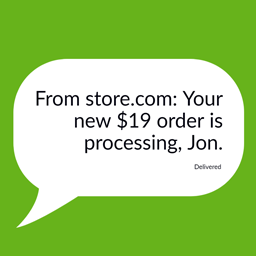
Order SMS Notifications for Woocommerce
Email marketing, newsletters & email automation for WordPress. Manage WooCommerce emails & build email newsletter campaigns with weMail.
CHOOSE WHAT YOUR WEBSITE NEEDS
Start with the task you need to solve. Compare features, WordPress and PHP requirements, update history and the author’s documentation. Test changes on a private copy and avoid adding several plugins for the same job.
This independent directory displays plugin information on WebFulHost and links to the official source. Packages are not mirrored or installed here. A plugin can include paid extensions or services with separate terms from its author.


