

Add unlimited RSS feeds, import their items automatically, and show them anywhere on your site with a block or shortcode.
★ 4.5/5 (566)40,000+ active installations
- Version
- 5.8.0
- WordPress
- 6.2.2+
- PHP
- 7.4.0+
- Updated
- 18 Nov 2026
WORDPRESS RESOURCES
Explore public plugin information from the official WordPress.org directory. Compare what a plugin does, its requirements and update history before adding it to your website.
Explore WordPress hosting →1,599 matching plugins reported by WordPress.org · Page 12 of 50
Source: WordPress.org
Data refreshed 20 Nov 2026 10:30 UTC
Add unlimited RSS feeds, import their items automatically, and show them anywhere on your site with a block or shortcode.
By iworks (Marcin Pietrzak)
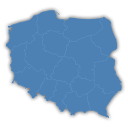
Interactive map of Poland, which allows you to attach links to the region.

By Sarankumar
Customers can mark their location on google map and address will be automatically populated.

Create ready-made contact forms, email subscription forms & lead capture forms in seconds. Save leads to your WordPress database & sync with ESPs.
Security and anti-spam without CAPTCHA. Blocks bots on forms, comments and logins, limits login attempts and hardens WordPress. No outside service.
WooCommerce Product Addons Add custom fields to your WooCommerce product page. With an easy-to-use Custom Form Builder.

By FWD
Interactive 3D model viewer with hotspots/markers, tooltips, animations, environment maps and realistic lighting.

By Sharabindu Bakshi
Automatically generates QR codes for your pages, posts and products. Free: up to 5 items per type. Pro: unlimited, plus custom post types.

By WP Map Plugins
Add a clickable map of the 54 countries of Africa to your site. Set colors, links and tooltips for each country in an easy visual editor.
Post and Page Builder is a standalone plugin which adds functionality to the existing TinyMCE Editor.

By Jose Vega
Modern Bulk Editor for Posts and Pages, create and edit hundreds of posts at once in a spreadsheet inside wp-admin. Search and quick edits.

By Aurovrata Venet
Pure CSS responsive grid layouts for contact form 7. It enables rich interlinking of your CMS data via taxonomy/posts populated dropdown fields.
CHOOSE WHAT YOUR WEBSITE NEEDS
Start with the task you need to solve. Compare features, WordPress and PHP requirements, update history and the author’s documentation. Test changes on a private copy and avoid adding several plugins for the same job.
This independent directory displays plugin information on WebFulHost and links to the official source. Packages are not mirrored or installed here. A plugin can include paid extensions or services with separate terms from its author.


