Essential toolkit for a WordPress site: block editor enhancements, maintenance mode, image optimization, login and more.
★ 5.0/5 (3)500+ active installations
- Version
- 1.5.6
- WordPress
- 5.8+
- PHP
- 7.0+
- Updated
- 19 Nov 2026
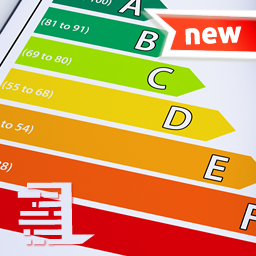
View plugin details ↗Graphically Visually present Energy Efficiency Class / Label / Rating / Scale with related consumption values
100+ active installations
- Version
- 1.0.9
- WordPress
- 5.2+
- Updated
- 26 Jan 2026
View plugin details ↗Automatically adds skip links to WordPress menus and Easy Table of Contents to comply to the WCAG bypass blocks accessibility criterion.
★ 5.0/5 (1)70+ active installations
- Version
- 1.0.2
- WordPress
- 4.7+
- PHP
- 7.0+
- Updated
- 12 Aug 2025
View plugin details ↗Add trust badges, payment icons and secure checkout seals to WooCommerce and EDD. 450+ ready-made SVG badges, shortcodes, no coding needed.
400+ active installations
- Version
- 1.2.0
- WordPress
- 4.7+
- PHP
- 7.4+
- Updated
- 7 Aug 2026
View plugin details ↗Design Anything — From Greeting Cards to Custom Images.
★ 5.0/5 (5)10+ active installations
- Version
- 3.0.4
- WordPress
- 5.6+
- Updated
- 5 Jan 2026
View plugin details ↗Instantly produce a legally enforceable & court recognized contract from a Ninja Form submission. Signature Pad Contracts. Proposals.
★ 5.0/5 (3)300+ active installations
- Version
- 3.2.5.1
- WordPress
- 4.5+
- Updated
- 14 Oct 2026
View plugin details ↗Revolutionary auto featured image generator with AI. Effortlessly create thumbnails, force regenerate thumbnails, and automate image workflows.
60+ active installations
- Version
- 1.2.6
- WordPress
- 6.2+
- PHP
- 8.0+
- Updated
- 22 Jun 2026
View plugin details ↗GutenDraw: share your story with interactive diagrams and flowcharts directly in the WordPress that resonates with your audience
★ 5.0/5 (2)100+ active installations
- Version
- 1.3.1
- WordPress
- 5.0+
- PHP
- 7.4+
- Updated
- 12 Jul 2026
View plugin details ↗Switch between light and dark themes for a more comfortable viewing experience, day or night.
400+ active installations
- Version
- 1.2.0
- WordPress
- 6.3+
- PHP
- 7.2+
- Updated
- 23 Nov 2026
View plugin details ↗It will be the best plugin for creating photo and video gallery.
70+ active installations
- Version
- 1.0.0
- Updated
- 6 Oct 2026
View plugin details ↗Ai Image Generator, Open AI DALL-E 2, Image Generator Plugin, Blog post Image generator, AI Image Creation, WordPress Image Generator, Openai photo ge …
200+ active installations
- Version
- 1.0.9
- PHP
- 7.4+
- Updated
- 14 Sep 2026
View plugin details ↗Animated counters block. Numeric and circular (SVG graphic) counters.
10+ active installations
- Version
- 1.0.0
- WordPress
- 5.0+
- Updated
- 1 Sep 2026
View plugin details ↗