Header Footer Builder for Elementor — create headers, footers & a mega menu for WordPress & WooCommerce. Beginner-friendly & optimized.
★ 5.0/5 (5)30,000+ active installations
- Version
- 1.3.4
- WordPress
- 4.7.0+
- PHP
- 7.4+
- Updated
- 17 Oct 2026
View plugin details ↗Take control of the cron events on your WordPress website or WooCommerce store with WP Crontrol.
★ 4.4/5 (167)300,000+ active installations
- Version
- 2.0.0
- WordPress
- 6.6+
- PHP
- 7.4+
- Updated
- 15 Oct 2026
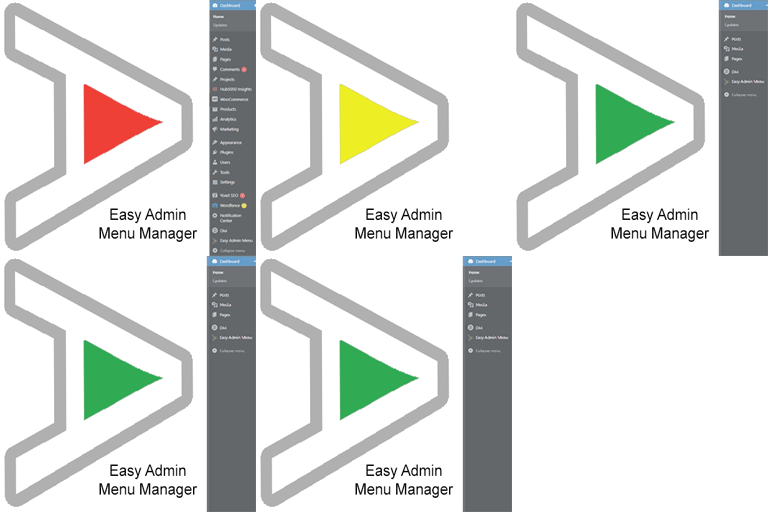
View plugin details ↗Take control of your Dashboard Menu with the Easy Admin Menu Manager. Remove the clutter without losing any functionality.
★ 5.0/5 (1)40+ active installations
- Version
- 2.2.0
- WordPress
- 6.0+
- PHP
- 7.3+
- Updated
- 15 Jul 2026
View plugin details ↗User role editing for WordPress. Manage user roles, control capabilities and permissions, and restrict admin access for any role.
★ 4.7/5 (144)90,000+ active installations
- Version
- 2.54.0
- WordPress
- 5.5+
- PHP
- 8.2+
- Updated
- 18 Nov 2026
View plugin details ↗Super simple plugin to remove the Tools menu from WordPress Admin Menu
★ 5.0/5 (1)20+ active installations
- Version
- 2.5.1
- WordPress
- 5.2+
- PHP
- 7.4+
- Updated
- 20 Aug 2026
View plugin details ↗Plugin Name: TP Flatsome Vertical Menu
★ 5.0/5 (5)100+ active installations
- Version
- 1.1.5
- WordPress
- 5.8+
- PHP
- 7.4+
- Updated
- 9 Jan 2026
View plugin details ↗Single and multi-level menus for your WordPress site, styled with customizable menu templates.
★ 4.7/5 (15)1,000+ active installations
- Version
- 6.0
- WordPress
- 6.1+
- Updated
- 19 Nov 2026
View plugin details ↗Adds start and expiration dates with time control to menu items in WordPress, controlling their visibility based on the set date and time range.
★ 5.0/5 (2)80+ active installations
- Version
- 1.2
- WordPress
- 5.0+
- PHP
- 7.0+
- Updated
- 16 Dec 2025
View plugin details ↗Elementor addons with 230+ Elementor widgets, WooCommerce Elementor elements, Elementor templates, Elementor mega menu, Elementor header footer builde …
★ 4.7/5 (284)100,000+ active installations
- Version
- 10.0.12
- WordPress
- 6.8+
- PHP
- 7.4.0+
- Updated
- 19 Nov 2026
View plugin details ↗Display tailored menu items to each visitor with visibility rules
★ 4.1/5 (130)50,000+ active installations
- Version
- 0.19.2
- PHP
- 6.0+
- Updated
- 5 Dec 2024
View plugin details ↗MCP server for WordPress. Connect Claude, ChatGPT, Cursor or any MCP client to manage content, themes and settings, with approvals.
★ 5.0/5 (221)100,000+ active installations
- Version
- 1.24.1
- WordPress
- 6.0+
- PHP
- 7.4+
- Updated
- 19 Nov 2026
View plugin details ↗
By Room 34 Creative Services, LLC
Hide unpublished pages in your custom menus.
★ 5.0/5 (9)1,000+ active installations
- Version
- 1.6.0.1
- WordPress
- 4.0+
- Updated
- 18 May 2026
View plugin details ↗