
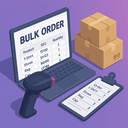
Bulk Order WooCommerce
By Vidish
"Bulk Order Woocommerce" allows your customers to order multiple products on single page.
★ 5.0/5 (7)40+ active installations
- Version
- 3.5
- WordPress
- 4.0+
- Updated
- 20 Aug 2026
WORDPRESS RESOURCES
Explore public plugin information from the official WordPress.org directory. Compare what a plugin does, its requirements and update history before adding it to your website.
Explore WordPress hosting →10,000 matching plugins reported by WordPress.org · Page 12 of 50
Source: WordPress.org
Data refreshed 22 Nov 2026 00:35 UTC
By Vidish
"Bulk Order Woocommerce" allows your customers to order multiple products on single page.
This plugin enables you to quickly access and edit the next and previous orders. It saves times while processing orders in a sequence which boosts pro …

By BrainFleck Solutions
The WC Order Analytics Add-on plugin enables the addition of custom meta fields to the order analytics table.

By AfterShip & Automizely
Track orders in one place. shipment tracking, automated notifications, order lookup, branded tracking page, delivery day prediction

By Matt Cromwell
Quickly reorder posts, pages, and custom post types using an intuitive drag-and-drop interface. Reordering supports auto-sorting and nested pages.
Sync WooCommerce orders with Google Sheets. Bulk edit order statuses, export order data, and manage orders in real time, two ways.

By David
Stop WooCommerce draft orders from cluttering your store, and clean up the ones already there. HPOS-ready. No setup required.

By brightvesseldev
During the checkout process, customers can effortlessly choose a delivery date and time for their orders.

Export WooCommerce products, orders, users and any WordPress content to CSV, XML, Excel or Google Sheets file. Bulk export posts, pages, custom post t …

By PrinterCo System Ltd
Automatically print WooCommerce orders to your thermal printer. Fast, reliable order printing for restaurants, takeaways, cafés, bakeries and online s …

By Radixweb
Plugin for adding a WooCommerce order status as Shipped.

By wpgenie2
Plugin that allows you to easily see last order for a user in WordPress user list, trivial setup - upload and enable.
CHOOSE WHAT YOUR WEBSITE NEEDS
Start with the task you need to solve. Compare features, WordPress and PHP requirements, update history and the author’s documentation. Test changes on a private copy and avoid adding several plugins for the same job.
This independent directory displays plugin information on WebFulHost and links to the official source. Packages are not mirrored or installed here. A plugin can include paid extensions or services with separate terms from its author.

