

Iptanus File Upload
By nickboss
Front-end file upload forms for WordPress. Build them visually, add your own fields, and capture photos from a webcam.
★ 4.4/5 (117)10,000+ active installations
- Version
- 5.3.2
- WordPress
- 3.0+
- Updated
- 23 Nov 2026
WORDPRESS RESOURCES
Explore public plugin information from the official WordPress.org directory. Compare what a plugin does, its requirements and update history before adding it to your website.
Explore WordPress hosting →1,534 matching plugins reported by WordPress.org · Page 12 of 50
Source: WordPress.org
Data refreshed 25 Nov 2026 02:26 UTC
By nickboss
Front-end file upload forms for WordPress. Build them visually, add your own fields, and capture photos from a webcam.

Find and fix accessibility issues with confidence. Real-time reports, automated fixes, and guidance. Reduce compliance risk and reach more users.
ShopLentor – More than a WooCommerce builder. A complete growth plugin to boost conversions, UX, and sales for your store.

By BoldGrid
Search Engine (SEO) & Performance Optimization (WPO) via caching. Integrated caching: CDN, Page, Minify, Object, Fragment, Database support.

By Syed Balkhi
WP Lightbox 2 adds stunning lightbox effects to images and galleries on your WordPress site.
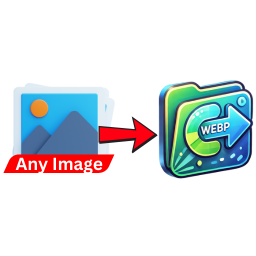
By SACHINRAJ CP
Automatically convert uploaded images (PNG, JPG, JPEG) to WebP format to enhance website performance and reduce load times.

By tychesoftwares
Create and print PDF invoices, delivery notes, receipts, credit notes, and packing slips for your WooCommerce orders.

By Tiny Solutions
AI-powered bulk rename, bulk edit metadata, compress images, find duplicates, clean up unused media, and more.

By Qode
Qi Addons for Elementor is a comprehensive library of 60+ custom, flexible & easily styled Elementor widgets developed by Qode Interactive.

Powered Cache is the most powerful caching and performance suite for WordPress. Easily Improve PageSpeed & Web Vitals Score.
Documentation, FAQ & Knowledge Base plugin to create docs, FAQs, product FAQ, wikis & help center with MCP, AI writing, instant answers & AI Chatbot.
Connect Google Drive to WordPress to embed documents, build galleries and file lists, uploads, downloads, media library, and secure file sharing.
CHOOSE WHAT YOUR WEBSITE NEEDS
Start with the task you need to solve. Compare features, WordPress and PHP requirements, update history and the author’s documentation. Test changes on a private copy and avoid adding several plugins for the same job.
This independent directory displays plugin information on WebFulHost and links to the official source. Packages are not mirrored or installed here. A plugin can include paid extensions or services with separate terms from its author.


