

Create WordPress websites with free forms, Gutenberg blocks, popups, sliders, countdowns, animations, pre-built pages, patterns & The Theme Designer
★ 4.9/5 (23)80,000+ active installations
- Version
- 4.2.7
- WordPress
- 5.9+
- PHP
- 7.0+
- Updated
- 20 Nov 2026
WORDPRESS RESOURCES
Explore public plugin information from the official WordPress.org directory. Compare what a plugin does, its requirements and update history before adding it to your website.
Explore WordPress hosting →5,483 matching plugins reported by WordPress.org · Page 13 of 50
Source: WordPress.org
Data refreshed 24 Nov 2026 04:59 UTC
Create WordPress websites with free forms, Gutenberg blocks, popups, sliders, countdowns, animations, pre-built pages, patterns & The Theme Designer

Free AI content generator for WordPress. Auto-write SEO posts from trending Google News using ChatGPT, Gemini or Claude. No coding.

By Brainstorm Force
The Read Meter plugin displays the estimated reading time for blog posts along with a progress bar.

Make email delivery easy for WordPress. Connect with SMTP, Gmail, Brevo, SendGrid, Amazon SES + more, with powerful WordPress SMTP Email plugin.
By George Pattichis
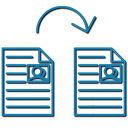
Easily clone (duplicate) Posts, Pages and Custom Post Types, including their custom fields (post_meta)

By wbcomdesigns
Let members post activity updates from any page. Add the Post From Anywhere block or the [bppfa_postform] shortcode where you want the form.

By Nexcess
Event Tickets allows your visitors to RSVP and buy tickets to events on your site. Also works seamlessly with The Events Calendar.

Create stunning FAQ & accordion blocks. SEO-optimized, fully accessible, zero performance impact. No coding needed.

By Fernando Tellado
FREE WordPress Security: firewall, two factor authentication (2FA), security headers, login, malware and password protection, scanner, activity log

By Archetyped
Enhanced content management for WordPress

By RebelCode
Embed Instagram feeds and photo galleries anywhere on your site. Responsive, accessible and SEO-friendly, with a block, shortcode, and widget.

By saumya010
FAQ and accordion block for Gutenberg. Bulk paste a whole FAQ at once — add, reorder and edit every question inside one block.
CHOOSE WHAT YOUR WEBSITE NEEDS
Start with the task you need to solve. Compare features, WordPress and PHP requirements, update history and the author’s documentation. Test changes on a private copy and avoid adding several plugins for the same job.
This independent directory displays plugin information on WebFulHost and links to the official source. Packages are not mirrored or installed here. A plugin can include paid extensions or services with separate terms from its author.