Digages Website Monitor tracks visitor activity, login attempts, and theme/plugin installs and updates to keep your WordPress site secure.
0+ active installations
- Version
- 1.0.0
- WordPress
- 5.0+
- PHP
- 7.0+
- Updated
- 27 Jul 2026
View plugin details ↗Automatic monitoring of forms, payment, and key user flows on your site through the TestMW cloud service.
0+ active installations
- Version
- 0.3.0
- WordPress
- 6.0+
- PHP
- 7.4+
- Updated
- 25 Jun 2026
View plugin details ↗Customise the WordPress login page, registration and password screens — with a live preview that is the real page, not a mock-up.
0+ active installations
- Version
- 1.0.1
- WordPress
- 6.6+
- PHP
- 7.4+
- Updated
- 27 Sep 2026
View plugin details ↗Sends your site's traffic metrics to the Anomaly Detector service and emails you when something unusual happens.
0+ active installations
- Version
- 0.8.0
- WordPress
- 5.0+
- PHP
- 7.4+
- Updated
- 4 Nov 2026
View plugin details ↗An AI reads the behaviours you can't see and nudges each visitor toward conversion — while they're still on your site.
0+ active installations
- Version
- 0.2.0
- WordPress
- 6.0+
- PHP
- 7.4+
- Updated
- 5 Aug 2026
View plugin details ↗Catches the WooCommerce failures an uptime checker misses: a trashed checkout page, payment gateways switched off, orders quietly stopping.
0+ active installations
- Version
- 1.0.0
- WordPress
- 5.8+
- PHP
- 7.4+
- Updated
- 6 Oct 2026
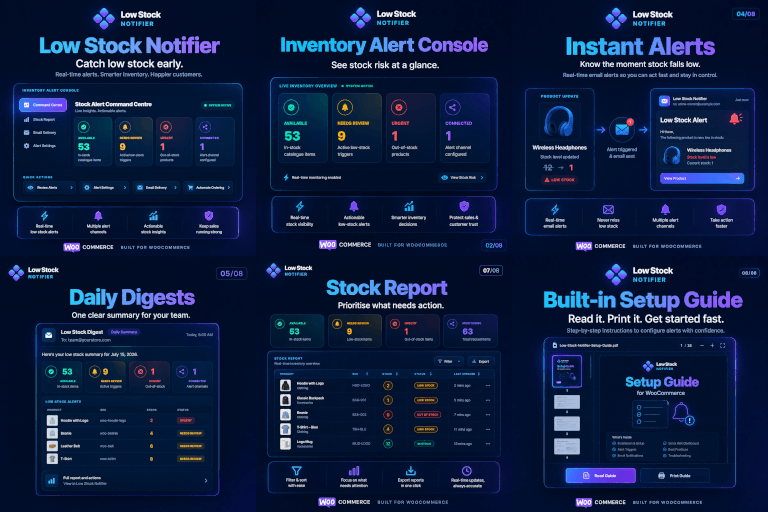
View plugin details ↗Proactive WooCommerce low-stock alerts with custom thresholds, digest emails, multiple recipients, Slack webhooks, and SMTP delivery.
0+ active installations
- Version
- 1.1.2
- WordPress
- 5.8+
- PHP
- 7.4+
- Updated
- 19 Jul 2026
View plugin details ↗Monitor your WordPress with Pandora Cloud: versions, updates, performance, content and security — with a local history and charts.
0+ active installations
- Version
- 1.0.12
- WordPress
- 6.2+
- PHP
- 7.4+
- Updated
- 25 Oct 2026
View plugin details ↗Know when your WordPress core, plugins or themes have a known vulnerability, and fix it in one click. CYRN itself never changes your site.
0+ active installations
- Version
- 1.1.0
- WordPress
- 6.0+
- PHP
- 7.4+
- Updated
- 15 Oct 2026
View plugin details ↗Connect your WooCommerce store to Look360 in one click and see price/market monitoring findings right in wp-admin.
0+ active installations
- Version
- 1.2.3
- WordPress
- 6.0+
- PHP
- 7.4+
- Updated
- 25 Jul 2026
View plugin details ↗Let customers subscribe to back-in-stock email alerts for WooCommerce products. Capture lost leads and convert them when stock returns.
0+ active installations
- Version
- 1.0.0
- WordPress
- 5.8+
- PHP
- 7.4+
- Updated
- 27 Jul 2026
View plugin details ↗Explains "Are you sure you want to do this?" and "Security check failed" errors: finds the failed nonce check and names the likely cause.
0+ active installations
- Version
- 1.2.1
- WordPress
- 5.6+
- PHP
- 7.4+
- Updated
- 26 Nov 2026
View plugin details ↗