

Product Attachment for WooCommerce
By Dotstore
Plugin lets you easily upload any file type (images, documents, videos, etc.) to customer orders.
★ 4.5/5 (24)6,000+ active installations
- Version
- 2.3.5
- WordPress
- 5.0+
- PHP
- 7.2+
- Updated
- 29 Oct 2026
WORDPRESS RESOURCES
Explore public plugin information from the official WordPress.org directory. Compare what a plugin does, its requirements and update history before adding it to your website.
Explore WordPress hosting →6,494 matching plugins reported by WordPress.org · Page 13 of 50
Source: WordPress.org
Data refreshed 21 Nov 2026 15:22 UTC
By Dotstore
Plugin lets you easily upload any file type (images, documents, videos, etc.) to customer orders.

By devowl.io GmbH
Organize uploaded media in folders, collections and galleries: A file manager for WordPress. Media management made easy with Real Media Library! (Alte …
By fuzzoid
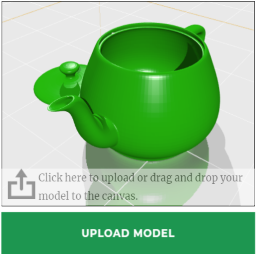
A plugin for selling 3D printing services.
Bulk Edit Upsells and Cross-sells plugin allows you to boost sales by enabling bulk edit of WooCommerce Linked products and AI Product Recommendations
Create unlimited Media Library folders and subfolders to organize your files. Export Media Library folders, set default attributes & more.
Boost image SEO with auto Title, Alt Text, Caption, and bulk updates for better rankings and accessibility.

By Bogdan Bendziukov · Pluginarium
Browser-based image compression & WebP—no API keys or quotas. Works on any hosting.

By neoWP Media Image Plugins
Create alt texts and image titles directly in WordPress with AI - 100 free image alt text generations included every month!

By metaphorcreations
Creates functionality to duplicate any and all post types, including taxonomies & custom fields. Perfect for developers and content creators.

By David Anderson / Team Updraft
Protect your WordPress site with All-In-One Security (AIOS): easy-to-use login security, a powerful firewall, and much more.

By colorlibplugins
Easily reorder posts, pages, custom post types, and taxonomies with intuitive drag-and-drop sorting in the WordPress admin.

By DawidKreator
Safely add, remove, or replace WooCommerce product categories from the native product bulk editor.
CHOOSE WHAT YOUR WEBSITE NEEDS
Start with the task you need to solve. Compare features, WordPress and PHP requirements, update history and the author’s documentation. Test changes on a private copy and avoid adding several plugins for the same job.
This independent directory displays plugin information on WebFulHost and links to the official source. Packages are not mirrored or installed here. A plugin can include paid extensions or services with separate terms from its author.


