
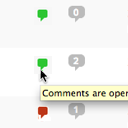
One Click Close Comments
By Scott Reilly
Conveniently close or open comments for a post or page with one click from the admin listing of posts.
★ 4.9/5 (10)5,000+ active installations
- Version
- 3.0
- WordPress
- 4.7+
- Updated
- 17 Apr 2025
WORDPRESS RESOURCES
Explore public plugin information from the official WordPress.org directory. Compare what a plugin does, its requirements and update history before adding it to your website.
Explore WordPress hosting →5,068 matching plugins reported by WordPress.org · Page 13 of 50
Source: WordPress.org
Data refreshed 21 Nov 2026 00:59 UTC
By Scott Reilly
Conveniently close or open comments for a post or page with one click from the admin listing of posts.

By Thomas Geiger
Advanced tag management for WordPress with Google Tag Manager
Compress images & PDFs automatically, convert to WebP & AVIF, and generate SEO-friendly filenames with AI. Bulk optimization, smart crop & resize.

Light weight Front-end login form, User Registration, User Profile and Members Directory plugin.
Add modules: share buttons, header/footer scripts, disable comments, reading progress, custom fonts, custom login & more in one plugin.
Use CAPTCHA to stop spam and allow customers & users to interact with your website easily. Block fake accounts and orders. Avoid false positives.
Track post views and page views, and display popular posts and trending content on your WordPress site.
Optimize and tweak WordPress by disable unused features. Improve performance, SEO and security using Clearfy — super easy, fast and zero code.

By Milan Petrovic
Powerful, highly customizable and versatile ratings plugin to allow your users to vote for anything you want.

Ease Project Management and Task Management using a powerful project manager with Kanban board, Gantt chart, milestone tracking & project reporting.

By oacstudio
A like button for all post types. Solid and simple.

Get a fast contact form plugin. Create advanced forms using drag and drop form builder with all smart features.
CHOOSE WHAT YOUR WEBSITE NEEDS
Start with the task you need to solve. Compare features, WordPress and PHP requirements, update history and the author’s documentation. Test changes on a private copy and avoid adding several plugins for the same job.
This independent directory displays plugin information on WebFulHost and links to the official source. Packages are not mirrored or installed here. A plugin can include paid extensions or services with separate terms from its author.




