Popups, slide-ins and bars that work behind a page cache. Exit intent, scroll and schedule triggers, with conversion reporting built in.
0+ active installations
- Version
- 1.0.0
- WordPress
- 6.7+
- PHP
- 8.1+
- Updated
- 4 Oct 2026
WORDPRESS RESOURCES
Explore public plugin information from the official WordPress.org directory. Compare what a plugin does, its requirements and update history before adding it to your website.
Explore WordPress hosting →192 matching plugins reported by WordPress.org · Page 13 of 16
Source: WordPress.org
Data refreshed 20 Nov 2026 15:30 UTC
Popups, slide-ins and bars that work behind a page cache. Exit intent, scroll and schedule triggers, with conversion reporting built in.

By ecomsolvebd
First-party storefront tracking and WooCommerce events for EcomSolveBD — UTM, click IDs, sessions, and optional Google Analytics 4 Measurement ID.

By Zaaed+
Track WhatsApp clicks, visitors, sessions and UTM campaigns, and manage leads in a built-in CRM pipeline.

By wasimuc
See your AI traffic, control AI crawlers, get cited by AI. llms.txt generation, AI bot control, and ChatGPT/Perplexity/Claude referral tracking.
By WP SmartStore
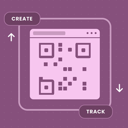
Dynamic QR codes you can re-point without reprinting, with scan analytics, UTM campaign attribution, multiple QR types, and privacy-first tracking.

By My IT and Apps
Build submission forms against Microsoft Dataverse and Dynamics 365. Every submission creates a record in your own environment.

By Alex Zappa
Generate link for Analytics tools like Google Analytics and a short link.

By Yury Parfentsov
An AI SDR that reads your site, talks to your visitors, and knows when to call you.

By Kovaion
Complete form management suite with drag-and-drop builder and secure Delveant CRM integration.

By sg5biz
AI chat, leads, forms, helpdesk, booking calendar, voice assistant and smart search for WordPress and WooCommerce, powered by InsightHub.
Discover which marketing campaigns are actually profitable and which are wasting your time & money. UTM Lead Tracker records the source of the lea …
Pinterest scheduler: each post, page or product you publish becomes a draft Pin (image, title, link) you approve, then it goes to your board.
CHOOSE WHAT YOUR WEBSITE NEEDS
Start with the task you need to solve. Compare features, WordPress and PHP requirements, update history and the author’s documentation. Test changes on a private copy and avoid adding several plugins for the same job.
This independent directory displays plugin information on WebFulHost and links to the official source. Packages are not mirrored or installed here. A plugin can include paid extensions or services with separate terms from its author.