

neo Replace – Simple replacement using drag & drop
By neoWP Media Image Plugins
Simple replacement with drag and drop!
★ 5.0/5 (1)80+ active installations
- Version
- 26.11.12
- WordPress
- 6.2+
- PHP
- 8.0+
- Updated
- 12 Nov 2026
WORDPRESS RESOURCES
Explore public plugin information from the official WordPress.org directory. Compare what a plugin does, its requirements and update history before adding it to your website.
Explore WordPress hosting →2,300 matching plugins reported by WordPress.org · Page 13 of 50
Source: WordPress.org
Data refreshed 29 Nov 2026 04:58 UTC
By neoWP Media Image Plugins
Simple replacement with drag and drop!

By edo888
Translate WordPress with Google Translate multilanguage plugin using AI translation. Complete multilingual SEO solution, WooCommerce compatible.
By rhewlif
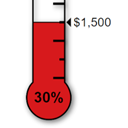
Displays a fully customisable thermometer for tracking donations or any other goal.
Show client, partner and sponsor logos in a responsive logo slider, carousel, ticker or grid. Shortcode builder with live preview, no coding.

By Joris van Montfort
Insert icons anywhere in your content — inline in text, headings, buttons, or as a standalone block.

By WP Engine
ACF helps customize WordPress with powerful, professional and intuitive fields. Proudly powering over 2 million sites, WordPress developers love ACF.

By MapGeo
Create interactive vector maps of the world, continents, any country in the world and specific regions, including individual US state county maps.

By Arno Welzel
Integration of PhotoSwipe (http://photoswipe.com) for WordPress.
Create responsive, accessible tabs in minutes. Unlimited tabs, templates, Gutenberg block, shortcode and widget. Pro adds dynamic and nested tabs.

By podpirate
Paste files and image data from clipboard and instantly upload them to the WordPress media library.

Animation Addons: all-in-one Elementor addons pack – GSAP scroll animations, 100+ Elementor widgets, 40+ Elementor 4 Atomic Widgets & 300+ templates.

By Harish Chouhan
Easily add a custom favicon and Apple touch icon to your WordPress site, including support for dark mode, SVG icons, and admin dashboard branding.
CHOOSE WHAT YOUR WEBSITE NEEDS
Start with the task you need to solve. Compare features, WordPress and PHP requirements, update history and the author’s documentation. Test changes on a private copy and avoid adding several plugins for the same job.
This independent directory displays plugin information on WebFulHost and links to the official source. Packages are not mirrored or installed here. A plugin can include paid extensions or services with separate terms from its author.

