

ACF OpenStreetMap Field
By podpirate
A configurable OpenStreetMap Field for ACF.
★ 4.6/5 (24)10,000+ active installations
- Version
- 1.6.1
- WordPress
- 4.8+
- PHP
- 5.6+
- Updated
- 22 Dec 2024
WORDPRESS RESOURCES
Explore public plugin information from the official WordPress.org directory. Compare what a plugin does, its requirements and update history before adding it to your website.
Explore WordPress hosting →1,932 matching plugins reported by WordPress.org · Page 13 of 50
Source: WordPress.org
Data refreshed 21 Nov 2026 08:59 UTC
By podpirate
A configurable OpenStreetMap Field for ACF.

By Xylus Themes
Display Facebook events on your WordPress site with beautiful, auto-updating event feeds using the Live Feed Builder. No API key required.
The easiest way to load ACF & SCF fields in WordPress blocks. Add your custom fields to the block editor instantly — no coding required!

By Jesús Yesares
A Gutenberg block that gives you a full visual editor for all Leaflet Map plugin shortcodes — no shortcode writing required.

By add-ons.org
The Repeater Fields for Elementor Forms allow you to create one or more sets of fields that can be repeated.
Completely plugins Ultimate Bootstrap Elements for Elementor. Enhance your Elementor page building experience with Bootstrap Components and many other …

By The Hack Repair Guy
Disable plugins without deleting them. Archive in one click, restore any time, and keep the archive hidden and blocked from the web.
Photo proofing for professional photographers: Send a collection of photographs to your clients for approval.
Create stunning vertical or horizontal timelines to showcase stories, events, milestones, and memories on any WordPress site – no coding needed.
By wpbranddigital
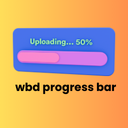
A beautiful and lightweight progress bar block for the WordPress Gutenberg editor with smooth animations and full customization options.

By simplemaps
Easily add an interactive map of the world, US, or many other countries to your WordPress site.

By David Matthew
Easily customise and embed the windy.com widget as a native WordPress widget or shortcode.
CHOOSE WHAT YOUR WEBSITE NEEDS
Start with the task you need to solve. Compare features, WordPress and PHP requirements, update history and the author’s documentation. Test changes on a private copy and avoid adding several plugins for the same job.
This independent directory displays plugin information on WebFulHost and links to the official source. Packages are not mirrored or installed here. A plugin can include paid extensions or services with separate terms from its author.



