Easily block WordPress user accounts temporarily or permanently. Restrict login, REST API, and authentication access, revoke active sessions, customiz …
★ 4.3/5 (7)1,000+ active installations
- Version
- 2.0.2
- WordPress
- 5.0+
- PHP
- 7.2+
- Updated
- 2 Nov 2026
View plugin details ↗Create customized registration forms, Invite through email, Email Notification, User Roles assignment, and more.
★ 4.2/5 (222)1,000+ active installations
- Version
- 4.0.0.0
- WordPress
- 6.0+
- PHP
- 8.2+
- Updated
- 12 Nov 2026
View plugin details ↗The original WordPress membership plugin with content restriction, user login, custom registration fields, user profiles, and more.
★ 4.6/5 (272)50,000+ active installations
- Version
- 3.5.8.3
- WordPress
- 5.9+
- Updated
- 27 Oct 2026
View plugin details ↗Accept donations and begin fundraising with GiveWP, the highest rated WordPress donation plugin for online giving.
★ 4.6/5 (709)100,000+ active installations
- Version
- 4.19.2.1
- WordPress
- 6.9+
- PHP
- 7.4+
- Updated
- 17 Nov 2026
View plugin details ↗Accept debit and credit cards in 135+ currencies, many local methods like Alipay, ACH, and SEPA, and express checkout with Apple Pay and Google Pay.
★ 3.1/5 (238)700,000+ active installations
- Version
- 11.2.0
- WordPress
- 6.9+
- PHP
- 7.4+
- Updated
- 10 Nov 2026
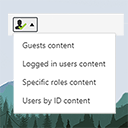
View plugin details ↗The simplest way of controlling who sees what in your posts/pages. Restrict content to logged in users only (or guests, or by roles) with simple short …
★ 4.9/5 (13)1,000+ active installations
- Version
- 2.3
- WordPress
- 3.6+
- Updated
- 29 Jan 2026
View plugin details ↗Hide the WordPress admin bar by user role, block wp-admin access, redirect after login, and tidy the admin menu and notices for each role.
★ 3.9/5 (21)20,000+ active installations
- Version
- 7.5.0
- WordPress
- 5.5+
- PHP
- 5.6+
- Updated
- 12 Oct 2026
View plugin details ↗Enables the previous "classic" editor and the old-style Edit Post screen with TinyMCE, Meta Boxes, etc. Supports all plugins that extend this screen.
★ 4.9/5 (1,252)8,000,000+ active installations
- Version
- 1.7.0
- WordPress
- 4.9+
- PHP
- 5.2.4+
- Updated
- 28 May 2026
View plugin details ↗
By Logtivity Activity Logs
Logtivity is the activity log service for WordPress admins. Track user activity and site events across every WordPress site you maintain.
★ 5.0/5 (4)2,000+ active installations
- Version
- 3.3.13
- WordPress
- 6.6+
- PHP
- 7.4+
- Updated
- 4 Nov 2026
View plugin details ↗User sync for WordPress plugin enables automated user sync from WP to Salesforce, Zoom, Tableau, and remote user sync from multiple WordPress sites
★ 3.0/5 (2)200+ active installations
- Version
- 1.0.4
- WordPress
- 3.7+
- PHP
- 5.4+
- Updated
- 21 Aug 2026
View plugin details ↗SliceWP is the powerful WordPress affiliate plugin that makes running your own affiliate program effortless. Track affiliate commissions, easily pay y …
★ 4.9/5 (114)10,000+ active installations
- Version
- 1.2.16
- WordPress
- 6.0+
- PHP
- 7.3+
- Updated
- 18 Nov 2026
View plugin details ↗Simple, lightweight WordPress analytics with privacy-friendly visitor tracking. Cookieless and GDPR-ready. Setup in seconds, no cookie banner needed.
★ 4.9/5 (189)200,000+ active installations
- Version
- 3.7.5
- WordPress
- 6.6+
- PHP
- 8.0+
- Updated
- 12 Nov 2026
View plugin details ↗