Pin CTA
By spyderman4g63
Add beautiful Pinterest share buttons to your content with 10 stunning pre-built styles.
30+ active installations
- Version
- 1.2.0
- WordPress
- 6.7+
- PHP
- 7.0+
- Updated
- 9 Apr 2025
WORDPRESS RESOURCES
Explore public plugin information from the official WordPress.org directory. Compare what a plugin does, its requirements and update history before adding it to your website.
Explore WordPress hosting →794 matching plugins reported by WordPress.org · Page 13 of 50
Source: WordPress.org
Data refreshed 26 Nov 2026 01:31 UTC
By spyderman4g63
Add beautiful Pinterest share buttons to your content with 10 stunning pre-built styles.

By Mulika Team
Create a quick Stockist/Store Locator with Google Map, Autocomplete search location & Distance & Category filter.
Darkify Dark Mode adds dark mode and night mode to WordPress websites and admin dashboards using a fast, lightweight, customizable dark mode toggle.

By jgwhite33
Display Yelp business reviews in a fast WordPress slider or grid with a summary badge and review photos. Multi-location support; stored locally.

By Pepro Dev. Group
Show your branches on OpenStreetMap, Google Maps, Mapbox, Persian maps or an offline map of Iran, with a searchable branches list.
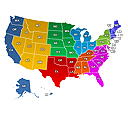
Create engaging Interactive United States Maps in WordPress for free. It's easy to install, simple, and highly customizable.

By Renzo Johnson
Add responsive Google Maps to WordPress with a simple shortcode. No API key, billing account, or Google Cloud setup required.

By phpaddicted
Show related posts with thumbnails and post nudges. Six layouts, Gutenberg block, Elementor widget, shortcode, and smart content matching.

By Taggbox
Display social media feeds, reviews, and user-generated content on your WordPress website with responsive, customizable widgets that require no coding

By YellowPencil
Style your WordPress site visually. Discover the most popular front-end design plugin! Try live demo.

By PausAR Studio
PausAR is a user-friendly and web-based 3D & augmented reality viewer that can be easily integrated into any Elementor powered WordPress website.

Add Facebook Follow, Like, and Share buttons to WordPress posts, pages, and widgets.
CHOOSE WHAT YOUR WEBSITE NEEDS
Start with the task you need to solve. Compare features, WordPress and PHP requirements, update history and the author’s documentation. Test changes on a private copy and avoid adding several plugins for the same job.
This independent directory displays plugin information on WebFulHost and links to the official source. Packages are not mirrored or installed here. A plugin can include paid extensions or services with separate terms from its author.