Easily show or hide any WordPress block. Schedule block visibility. Restrict blocks to specific screen sizes, user roles, post types, and more.
★ 4.9/5 (108)40,000+ active installations
- Version
- 3.8.1
- WordPress
- 6.6+
- PHP
- 7.4+
- Updated
- 18 Sep 2026
WORDPRESS RESOURCES
Explore public plugin information from the official WordPress.org directory. Compare what a plugin does, its requirements and update history before adding it to your website.
Explore WordPress hosting →9,123 matching plugins reported by WordPress.org · Page 13 of 50
Source: WordPress.org
Data refreshed 23 Nov 2026 23:29 UTC
Easily show or hide any WordPress block. Schedule block visibility. Restrict blocks to specific screen sizes, user roles, post types, and more.

By WebFactory
Easy to use Under Construction Page & Coming Soon Page. Enable Under Construction Mode in seconds & show you're Under Construction!

By smplug-in
WordPress Facebook Like box plugin will help you to display like box on your website, just add our plugin widget to your sidebar and use it.

By Arnan de Gans
Easily manage, and schedule ads on your WordPress site with AdRotate. Support for Google AdSense, Amazon, and custom banners. Start monetizing today!
User role editing for WordPress. Manage user roles, control capabilities and permissions, and restrict admin access for any role.
WPC Added To Cart Notification will open a popup to notify the customer immediately after adding a product to the cart.

By Syam Mohan
Adds a lightweight and smooth "Scroll to Top" button to your WordPress site, improving navigation and user experience with customizable options.

By Emran Ahmed
Turn dropdowns into color, image, and button swatches for WooCommerce Variable Products. No coding needed.

Advance Custom HTML lets you write and display HTML, CSS, PHP, and other code snippets on WordPress with live preview and syntax highlighting.
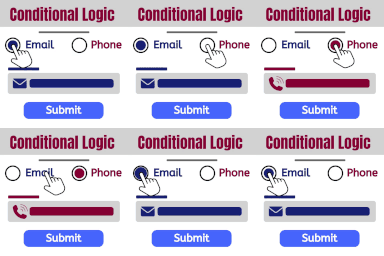
Show and hide fields. Send certain email, don't send others. Redirect to one of many pages. The possibilities are endless!

By Restrict
Show or hide Elementor sections, columns and widgets with ease using many different criteria

Web Accessibility (formally known as Ally) is a free, powerful, and user-friendly plugin that helps WordPress creators build more accessible websites …
CHOOSE WHAT YOUR WEBSITE NEEDS
Start with the task you need to solve. Compare features, WordPress and PHP requirements, update history and the author’s documentation. Test changes on a private copy and avoid adding several plugins for the same job.
This independent directory displays plugin information on WebFulHost and links to the official source. Packages are not mirrored or installed here. A plugin can include paid extensions or services with separate terms from its author.