Disable Gutenberg Block Editor and restore the Classic Editor and original Edit Post screen (TinyMCE, meta boxes, etc.).
★ 5.0/5 (735)500,000+ active installations
- Version
- 3.4
- WordPress
- 4.9+
- PHP
- 5.6.20+
- Updated
- 6 Nov 2026
View plugin details ↗Use any image from your WordPress Media Library as a custom user avatar or user profile picture. Add your own Default Avatar.
★ 4.7/5 (41)100,000+ active installations
- Version
- 2.5.6
- WordPress
- 4.0+
- Updated
- 21 Aug 2026
View plugin details ↗A store editor plugin for editing all WooCommerce store and product pages, cart, checkout and user account pages, all within the WordPress Customizer
★ 4.8/5 (127)20,000+ active installations
- Version
- 2.6.6
- WordPress
- 5.0+
- PHP
- 5.6+
- Updated
- 14 Oct 2026
View plugin details ↗Allows you to embed content within your blog post via WordPress ShortCode API and toggling the visibility of the content via a button.
★ 4.2/5 (43)9,000+ active installations
- Version
- 3.0.0
- WordPress
- 6.8+
- PHP
- 8.2+
- Updated
- 9 Aug 2026
View plugin details ↗Simple CPT provides an easy to use interface for registering and managing custom post types and custom taxonomies.
★ 4.6/5 (9)3,000+ active installations
- Version
- 1.1.1
- WordPress
- 5.3.0+
- PHP
- 7.0+
- Updated
- 24 Aug 2026
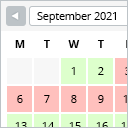
View plugin details ↗This booking calendar shows when something is booked or available. Use it to show when your holiday home is available for rent, for example.
★ 4.8/5 (227)10,000+ active installations
- Version
- 2.0.16
- WordPress
- 4.7+
- PHP
- 5.6+
- Updated
- 29 Jun 2026
View plugin details ↗Create custom dropdown & mobile menus using WordPress blocks. Design rich, responsive navigation with any block content in the block editor.
★ 5.0/5 (8)5,000+ active installations
- Version
- 0.3.4
- WordPress
- 6.5+
- PHP
- 7.4+
- Updated
- 3 Sep 2026
View plugin details ↗Drag and Drop Table Builder Plugin. Build Responsive Tables Easily.
★ 4.8/5 (681)50,000+ active installations
- Version
- 2.3.1
- WordPress
- 4.9+
- PHP
- 7.4+
- Updated
- 13 Nov 2026
View plugin details ↗Boost your website performance and page speed, and increase conversions with powerful caching, frontend, media, and environment optimizations.
★ 4.2/5 (641)1,000,000+ active installations
- Version
- 7.8.6
- WordPress
- 5.5.1+
- PHP
- 7.0+
- Updated
- 2 Nov 2026
View plugin details ↗This awesome plugin allows you to easily display frontend forms on your site so your clients can easily edit content by themselves from the frontend.
★ 4.5/5 (160)8,000+ active installations
- Version
- 3.30.4
- WordPress
- 6.5+
- PHP
- 5.6.0+
- Updated
- 15 Nov 2026
View plugin details ↗Replace 50+ WordPress Plugins: Free SEO, Theme Builder, Code Snippets, Image Optimizer (WebP/AVIF), SMTP Email, Security, Performance & More
★ 4.7/5 (13)10,000+ active installations
- Version
- 4.9.1
- WordPress
- 5.9+
- PHP
- 7.4+
- Updated
- 18 Nov 2026
View plugin details ↗WooCommerce discount plugin & dynamic pricing: bulk discount, BOGO, quantity discount, category discount & auto-apply coupons — no coding needed.
★ 4.7/5 (248)9,000+ active installations
- Version
- 9.5.1
- WordPress
- 4.4.2+
- PHP
- 5.6.0+
- Updated
- 3 Nov 2026
View plugin details ↗