

Xpro Addons for Beaver Builder – Lite is a simple drag-and-drop creative module pack that lets you create stunning websites.
700+ active installations
- Version
- 1.5.9
- WordPress
- 4.6+
- Updated
- 26 Oct 2026
WORDPRESS RESOURCES
Explore public plugin information from the official WordPress.org directory. Compare what a plugin does, its requirements and update history before adding it to your website.
Explore WordPress hosting →3,143 matching plugins reported by WordPress.org · Page 14 of 50
Source: WordPress.org
Data refreshed 21 Nov 2026 20:22 UTC
Xpro Addons for Beaver Builder – Lite is a simple drag-and-drop creative module pack that lets you create stunning websites.

By Web Guy
Spam protection for WordPress registration, login, comments, and contact forms.

By SolverWp
Eleblog is an ultimate posts addon or element pack for the Elementor page builder. You can display the blog posts on the WordPress web site the way...

By HT Plugins
This plugin allows you to insert Google analytic code, Facebook pixel code, custom javascript, custom style in your website's header and footer.

By wp.insider
An addon for importing existing WordPress users to the Simple Membership plugin as members.

Light weight Front-end login form, User Registration, User Profile and Members Directory plugin.

By RadiusTheme
Variation Images Gallery for WooCommerce plugin allows to add UNLIMITED additional images for each variation of product.
By Rodrigo Bogdanowicz
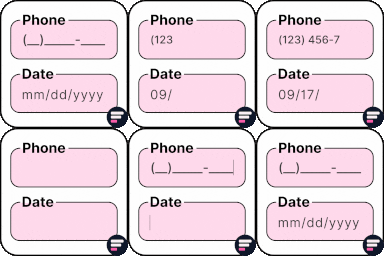
Apply input masks in Elementor form widget fields - phone, date, time, credit card, CPF, CNPJ, CEP & more for valid and error-free entries.

Build WordPress blog, magazine, news, archive and single-post layouts with Elementor post grid, carousel, slider and list widgets.
Add conditional fields to Elementor forms and apply if-else conditional logic to show or hide Elementor form widget fields via dynamic rules.

By Greg - SiteOrigin
Essential elements for modern websites. Add buttons, sliders, heroes, maps, images, carousels, features, icons, more. Create dynamic pages easily.
Documentation, FAQ & Knowledge Base plugin to create docs, FAQs, product FAQ, wikis & help center with MCP, AI writing, instant answers & AI Chatbot.
CHOOSE WHAT YOUR WEBSITE NEEDS
Start with the task you need to solve. Compare features, WordPress and PHP requirements, update history and the author’s documentation. Test changes on a private copy and avoid adding several plugins for the same job.
This independent directory displays plugin information on WebFulHost and links to the official source. Packages are not mirrored or installed here. A plugin can include paid extensions or services with separate terms from its author.

