Inline AI summary on every post + one-click sharing to social networks and 11 AI assistants. Powered by the new WordPress 7.0 AI Connectors.
★ 5.0/5 (16)1,000+ active installations
- Version
- 2.8.1
- WordPress
- 6.1+
- PHP
- 7.4+
- Updated
- 14 Nov 2026
View plugin details ↗Automatic color-coded outlines and labels for Gutenberg blocks. See your page structure instantly while editing.
★ 5.0/5 (1)10+ active installations
- Version
- 1.0.0
- WordPress
- 5.8+
- PHP
- 7.4+
- Updated
- 21 Jan 2026
View plugin details ↗Use Advanced File Manager to manage WordPress files, create archives, monitor storage limits, and build document libraries all directly from your Word …
★ 4.8/5 (443)100,000+ active installations
- Version
- 6.0.0
- WordPress
- 4.0+
- PHP
- 7.0+
- Updated
- 14 Oct 2026
View plugin details ↗Adds a floating "Copy" button to every code block, with extensive styling options, optional line numbers, max-height control, and custom CSS support.
★ 4.5/5 (2)60+ active installations
- Version
- 1.6.0
- WordPress
- 5.0+
- PHP
- 7.4+
- Updated
- 28 Sep 2026
View plugin details ↗Build responsive page layouts using the widgets you know and love using this simple drag and drop page builder.
★ 4.8/5 (1,005)400,000+ active installations
- Version
- 2.38.0
- WordPress
- 5.9+
- PHP
- 7.0.0+
- Updated
- 19 Oct 2026
View plugin details ↗Google Tag Manager Server Side Integration Made Easy
★ 5.0/5 (4)10,000+ active installations
- Version
- 2.3.12
- WordPress
- 5.2.0+
- Updated
- 16 Nov 2026
View plugin details ↗Build faster with 376+ Gutenberg blocks for layouts, content, marketing, media, business, charts, calculators, animations, and more.
100+ active installations
- Version
- 1.0.4
- WordPress
- 5.6+
- Updated
- 25 Aug 2026
View plugin details ↗Testimonials Block makes it easy to display customer testimonials and reviews in a professional, responsive layout using the WordPress block editor.
200+ active installations
- Version
- 1.0.6
- WordPress
- 6.5+
- PHP
- 7.4+
- Updated
- 21 Nov 2026
View plugin details ↗Embed Instagram feeds and photo galleries anywhere on your site. Responsive, accessible and SEO-friendly, with a block, shortcode, and widget.
★ 4.7/5 (171)50,000+ active installations
- Version
- 1.9.0
- WordPress
- 6.3+
- PHP
- 7.1+
- Updated
- 19 Nov 2026
View plugin details ↗Use the Microsoft Azure Storage service to host your website's media files.
★ 3.9/5 (14)2,000+ active installations
- Version
- 4.5.2
- WordPress
- 6.6+
- PHP
- 8.0+
- Updated
- 15 Sep 2026
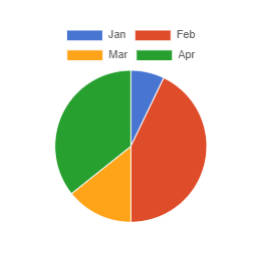
View plugin details ↗Displays a Chart for CSV content.
★ 5.0/5 (1)300+ active installations
- Version
- 1.3.1
- WordPress
- 5.6.0+
- PHP
- 7.2.0+
- Updated
- 18 Apr 2025
View plugin details ↗WordPress form builder to create lightweight contact forms, survey forms, feedback forms, booking forms, etc., right inside the block editor.
★ 4.5/5 (11)20,000+ active installations
- Version
- 2.2.0
- WordPress
- 6.5+
- PHP
- 5.6+
- Updated
- 11 Nov 2026
View plugin details ↗