

Sticky CTA boosts user engagement with sticky and floating buttons, keeping CTAs visible to maximize clicks and conversions.
★ 4.7/5 (12)90+ active installations
- Version
- 1.3.4
- WordPress
- 6.2+
- PHP
- 7.4+
- Updated
- 19 Dec 2024
WORDPRESS RESOURCES
Explore public plugin information from the official WordPress.org directory. Compare what a plugin does, its requirements and update history before adding it to your website.
Explore WordPress hosting →374 matching plugins reported by WordPress.org · Page 14 of 32
Source: WordPress.org
Data refreshed 19 Nov 2026 05:19 UTC
Sticky CTA boosts user engagement with sticky and floating buttons, keeping CTAs visible to maximize clicks and conversions.

By TRooInbound
Advanced analytics and reporting plugin for Contact Form 7 submissions with interactive charts and detailed insights.
By Anders Lundkvist
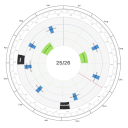
A circular year planner to visualize fiscal years and events.

By vividworks
Online selling like in-store selling with full 3D visual product configurator

By Thorsten Glander
Professional vehicle management for WordPress. Perfect for car dealerships with advanced filtering and contact forms.

By custonis
Detect publicly exposed backup files, debug logs and sensitive data on your WordPress site.

By micromax
AI-powered virtual try-on for WooCommerce products. Customers upload a photo or snap a camera shot to preview realistic fittings in real time.

By zwplayer
Professional HTML5 video player with VR/360° panoramic playback, multi-audio-track switching, subtitles, chapters, annotations, watermarks, playlists, …

WordPress helpdesk Ticket System with frontend ticketing, agent workflows, email alerts, reports, attachments, and optional AI assistance.

By empproduct
This Plugin for WooCommerce gives you the ability to process payments through emerchantpay's Payment Gateway - Genesis.

By pyzia
Embed interactive Pyzia charts by pasting a pyzia.app link — live economic and company data, right in your posts.

By GoVISIBLE
Track visits from AI bots like ChatGPT, GPTBot, Claude, Gemini, and Perplexity.
CHOOSE WHAT YOUR WEBSITE NEEDS
Start with the task you need to solve. Compare features, WordPress and PHP requirements, update history and the author’s documentation. Test changes on a private copy and avoid adding several plugins for the same job.
This independent directory displays plugin information on WebFulHost and links to the official source. Packages are not mirrored or installed here. A plugin can include paid extensions or services with separate terms from its author.