The Professional's Choice for Drag & Drop WordPress Page Building. Fast, Reliable, and Trusted since 2014.
★ 4.7/5 (394)100,000+ active installations
- Version
- 2.11.2.2
- WordPress
- 6.8+
- PHP
- 7.4+
- Updated
- 16 Nov 2026
View plugin details ↗A smart, AI-powered job board plugin for WordPress. Build a company careers page or a full job board with resumes, applications and smart matching.
★ 4.3/5 (32)8,000+ active installations
- Version
- 2.9.1
- WordPress
- 6.2+
- PHP
- 7.4+
- Updated
- 18 Nov 2026
View plugin details ↗Display product categories in responsive sliders or grids to showcase them effectively on your WooCommerce store and improve shoppers' navigation.
★ 4.8/5 (91)8,000+ active installations
- Version
- 1.7.4
- WordPress
- 5.3+
- PHP
- 7.0+
- Updated
- 9 Nov 2026
View plugin details ↗Event management plugin for WordPress with registration, attendee management, recurring events, tickets, and calendars. Reliable and complete.
★ 4.8/5 (17)700+ active installations
- Version
- 1.20
- WordPress
- 6.0+
- PHP
- 7.4+
- Updated
- 9 Nov 2026
View plugin details ↗Scan your WordPress site for broken links and dead URLs. Detect 404 errors, fix link issues, and keep your SEO healthy.
★ 5.0/5 (1)100+ active installations
- Version
- 1.0.7
- WordPress
- 5.8+
- PHP
- 7.4+
- Updated
- 3 Nov 2026
View plugin details ↗BEAR - WooCommerce Bulk Editor Professional. Bulk edit prices, stock, SKU, attributes. Bulk delete, export CSV. AI assistants manage your shop via MCP …
★ 4.7/5 (228)30,000+ active installations
- Version
- 1.2.6
- WordPress
- 6.0+
- PHP
- 7.4+
- Updated
- 1 Nov 2026
View plugin details ↗Professional WordPress plugin export tool for plugin inventory management and audit reports.
★ 5.0/5 (4)200+ active installations
- Version
- 5.1.1
- WordPress
- 5.0+
- PHP
- 7.0+
- Updated
- 30 Aug 2026
View plugin details ↗Redirect to any page or URL, execute scripts after submission, save data to the database, and unlock additional submission actions for Contact Form 7.
★ 4.7/5 (276)200,000+ active installations
- Version
- 3.2.18
- WordPress
- 5.1+
- Updated
- 13 Nov 2026
View plugin details ↗AI form generator and WordPress form builder for contact and Stripe payment forms, with surveys and quizzes in SureForms Business.
★ 4.9/5 (105)500,000+ active installations
- Version
- 2.14.1
- WordPress
- 6.4+
- PHP
- 7.4+
- Updated
- 19 Nov 2026
View plugin details ↗Three table types in one plugin: Excel-like data tables with formulas, WooCommerce product tables and pricing tables. Responsive and searchable.
★ 4.7/5 (497)10,000+ active installations
- Version
- 1.17.0
- WordPress
- 5.9+
- PHP
- 7.3+
- Updated
- 17 Nov 2026
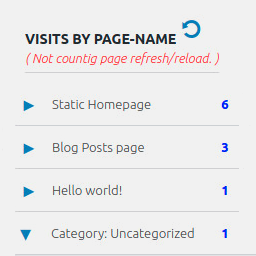
View plugin details ↗Display number of visits for each page in admin dashboard and browser developer-tool/console. Doesn't count page refresh as a new visit...
★ 4.0/5 (7)5,000+ active installations
- Version
- 2.0.5
- WordPress
- 6.5+
- PHP
- 5.6.40+
- Updated
- 14 Sep 2026
View plugin details ↗Load plugins only where you need them. No bloat, no conflicts, more speed. Deactivate plugins where they don't add anything useful.
★ 4.8/5 (104)8,000+ active installations
- Version
- 2.7.0
- WordPress
- 4.6+
- PHP
- 7.4+
- Updated
- 28 Oct 2026
View plugin details ↗