

Kata Plus is a very useful plugin that makes Elementor even better. It gives you lots of cool widgets and add-ons to make designing your websites easi …
300+ active installations
- Version
- 1.6.6
- WordPress
- 4.0.0+
- PHP
- 5.6+
- Updated
- 19 Nov 2026
WORDPRESS RESOURCES
Explore public plugin information from the official WordPress.org directory. Compare what a plugin does, its requirements and update history before adding it to your website.
Explore WordPress hosting →559 matching plugins reported by WordPress.org · Page 14 of 47
Source: WordPress.org
Data refreshed 23 Nov 2026 02:56 UTC
Kata Plus is a very useful plugin that makes Elementor even better. It gives you lots of cool widgets and add-ons to make designing your websites easi …

By Kickflip Support
Give your customers a premium way to personalize your products.

By Naqeeb Ul Rehman
Find unused media, see where each file is used, trash safely with restore, and spot exact duplicate images. Free, no scan limits.

By Hosteva
Lightweight WhatsApp chat button for WordPress & WooCommerce. Unlimited agents, page-specific widgets, and SVG analytics with zero speed impact.

By A. Jones
Display a Masonry Thumbnail Grid of Featured Images, including captions and excerpts.

By Suhag Ahmed
Customizer Login UI provides a simple, one-step solution for customizing your WordPress login page.

By okmultimedia
A clean white dashboard with dark blue text, outlined icons and no WordPress logos.

High-converting popup campaigns with PopupKit – advanced triggers, A/B testing, spin-to-win, multistep popups & 270+ popup templates for WordPress

By mattiaspkallio
To easily turn on and off some settings that often is done with hooks, hacks or filters in WordPress.

By imemine
A modern, secure, and real-time custom login page builder using React and CSS Custom Properties.

All-in-one WordPress image optimization: disable thumbnails, compress, convert to WebP & AVIF, clean your media library, and offload images to a CDN.
By Kamrul Hasan
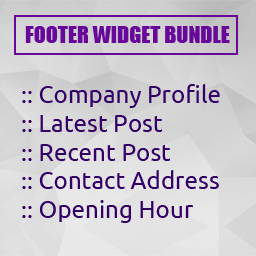
Footer widget bundle includes company information, latest post, contact address and opening hours.
CHOOSE WHAT YOUR WEBSITE NEEDS
Start with the task you need to solve. Compare features, WordPress and PHP requirements, update history and the author’s documentation. Test changes on a private copy and avoid adding several plugins for the same job.
This independent directory displays plugin information on WebFulHost and links to the official source. Packages are not mirrored or installed here. A plugin can include paid extensions or services with separate terms from its author.