

Pretty Grid is a flexible plugin that make you display social media content in WordPress.
10+ active installations
- Version
- 1.3.15
- WordPress
- 4.0+
- Updated
- 11 May 2026
WORDPRESS RESOURCES
Explore public plugin information from the official WordPress.org directory. Compare what a plugin does, its requirements and update history before adding it to your website.
Explore WordPress hosting →214 matching plugins reported by WordPress.org · Page 14 of 18
Source: WordPress.org
Data refreshed 29 Nov 2026 17:32 UTC
Pretty Grid is a flexible plugin that make you display social media content in WordPress.

By jmarztech
Photo galleries with custom fields, spreadsheet-style bulk editing, and saved displays you can place on any page.

By imminentsoftwares
A simple and lightweight gallery plugin with Grid, Masonry and List layouts.
Photo and portfolio gallery with 3D carousels, sliders, masonry, filterable grids and a lightbox. Batch-upload and caption photos in minutes.

By qaiyo
Fast, dependency-free gallery: seven layouts picked from visual mock-ups, lightbox, HappyFiles live-link, ZIP export/import and Modula import.

By GS Plugins
Replace WooCommerce variation dropdowns with color, image, button and radio swatches, on product pages and shop cards.
Rule-based related content for posts, pages, WooCommerce products and any custom post type. Unlimited displays, 12 templates, CTR analytics.

By Fahad Murtaza
Transform JSON data and WordPress posts into beautiful card grids. Perfect for teams, products, portfolios, and blogs.

By themesawesome
Create Grid Portfolio, Masonry Portfolio, Carousel portfolio, Slider Portfolio and Other stunning portfolio template with this portfolio plugin for Wo …

By Simrandeep Singh
Extend Elementor with 30+ powerful widgets, dynamic content tools, custom form fields, and smart extensions - all in one plugin.

By Devang Vachheta
Best Elementor widgets & WooCommerce builder plugin for WordPress: 80+ free widgets, display conditions, dynamic tags, custom CSS/JS & AI automation.
By Sharabindu Bakshi
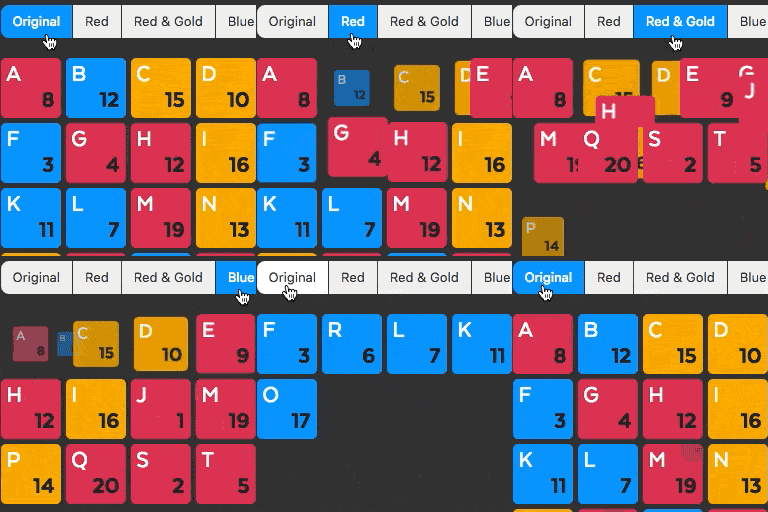
Display your portfolio, posts, and product items in a grid with filterable
CHOOSE WHAT YOUR WEBSITE NEEDS
Start with the task you need to solve. Compare features, WordPress and PHP requirements, update history and the author’s documentation. Test changes on a private copy and avoid adding several plugins for the same job.
This independent directory displays plugin information on WebFulHost and links to the official source. Packages are not mirrored or installed here. A plugin can include paid extensions or services with separate terms from its author.

