Made it through the SEO plugin wasteland? You've earned a coffee ☺️ Quietly powerful AI SEO that actually works. No bloat, just results. Enjoy! 💕
★ 4.9/5 (49)1,000+ active installations
- Version
- 1.0.3
- WordPress
- 6.0+
- PHP
- 8.1+
- Updated
- 10 Nov 2026
WORDPRESS RESOURCES
Explore public plugin information from the official WordPress.org directory. Compare what a plugin does, its requirements and update history before adding it to your website.
Explore WordPress hosting →794 matching plugins reported by WordPress.org · Page 14 of 50
Source: WordPress.org
Data refreshed 22 Nov 2026 09:02 UTC
Made it through the SEO plugin wasteland? You've earned a coffee ☺️ Quietly powerful AI SEO that actually works. No bloat, just results. Enjoy! 💕

By Marcio Duarte
A block that displays a 3D book cover, animated when you mouse over it.

By SmartWP Plugins
One easy address book for WooCommerce. Customers save an address once and use it everywhere — at checkout and in their account.
By Dominik Fehr
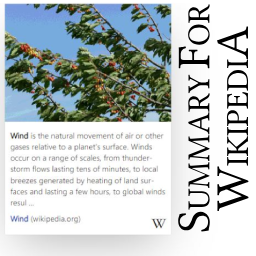
Enhance your site with Wikipedia summary boxes! Offer instant info previews on existing and new Wikipedia links without altering your website code.

By Serhii Pasyuk
Fastest, easiest to use multifunctional image gallery plugin. Create Featured Posts Gallery, Dynamic Content Gallery, Albums!
Empower your site with interactive visuals! Our plugin seamlessly transforms static images into engaging media, enabling publishers and bloggers.

By approveme
Automatically generate a legally binding & court recognized contract from a Gravity Forms submission. Proposals. Time sheets. Contracts.

By PI Web Solution
This plugin automatically tags WooCommerce orders based on custom rules to improve order management and efficiently manage order processing.

By yehudaT
Cookie consent banner aligned with Israel's Privacy Protection Law (Amendment 13).
Manage external links: new tabs, add rel attribute nofollow, noopener, noreferrer, sponsored, show icon on/off. SEO, secure, XHTML Strict compliant.

By Themepoints
Create service boxes, icon boxes and features grids in the block editor. 16 templates, 280+ icons, hover effects, badges. Free and lightweight.
90+ Gutenberg Blocks & AI Website Builder with 1000+ Templates. Complete Page Builder, Popup Builder, Mega Menu, Form Builder & More. No Code.
CHOOSE WHAT YOUR WEBSITE NEEDS
Start with the task you need to solve. Compare features, WordPress and PHP requirements, update history and the author’s documentation. Test changes on a private copy and avoid adding several plugins for the same job.
This independent directory displays plugin information on WebFulHost and links to the official source. Packages are not mirrored or installed here. A plugin can include paid extensions or services with separate terms from its author.