Automatically purge every server-side cache on your WordPress site — plugins, hosting environments, PHP, memory stores, and CDNs — all from one place.
★ 4.5/5 (6)1,000+ active installations
- Version
- 2.3.59
- WordPress
- 6.2+
- PHP
- 8.2+
- Updated
- 2 Sep 2026
View plugin details ↗Easily replace any attached image/file by simply uploading a new file in the Media Library edit view - a real time saver!
★ 4.4/5 (302)600,000+ active installations
- Version
- 4.2.3
- WordPress
- 4.9.7+
- PHP
- 5.6+
- Updated
- 26 Oct 2026
View plugin details ↗Export post, page and custom post type data to CSV or JSON, and snapshot your site to detect added, removed or changed content.
★ 4.6/5 (94)50,000+ active installations
- Version
- 6.0
- WordPress
- 3.6+
- PHP
- 5.4+
- Updated
- 14 Oct 2026
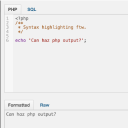
View plugin details ↗Adds a PHP/SQL console to the Debug Bar. Requires the Debug Bar plugin.
★ 5.0/5 (5)1,000+ active installations
- Version
- 0.3.1
- WordPress
- 3.1+
- Updated
- 11 Apr 2026
View plugin details ↗Improve the quality of re-sized images by replacing standard GD library with ImageMagick.
★ 4.4/5 (16)60,000+ active installations
- Version
- 2.0.0
- WordPress
- 6.4+
- PHP
- 7.4+
- Updated
- 19 Aug 2026
View plugin details ↗Increase the WordPress media upload size limit with MB/GB units, quick presets, per-role limits, and a clear view of PHP server limits.
★ 4.5/5 (8)2,000+ active installations
- Version
- 2.3.0
- WordPress
- 5.9+
- PHP
- 7.4+
- Updated
- 7 Nov 2026
View plugin details ↗Two-factor authentication, passkeys, social login, magic login, limit login attempts, file change scanning and audit logs for WordPress.
★ 4.2/5 (35)10,000+ active installations
- Version
- 3.1.1
- WordPress
- 5.0+
- PHP
- 7.3+
- Updated
- 3 Nov 2026
View plugin details ↗Boost your website performance and page speed, and increase conversions with powerful caching, frontend, media, and environment optimizations.
★ 4.2/5 (641)1,000,000+ active installations
- Version
- 7.8.6
- WordPress
- 5.5.1+
- PHP
- 7.0+
- Updated
- 2 Nov 2026
View plugin details ↗This Plugin allows you to upload SVG Files into your Media library.
★ 5.0/5 (6)40,000+ active installations
- Version
- 4.2.2
- WordPress
- 6.0+
- PHP
- 8.0+
- Updated
- 17 Nov 2026
View plugin details ↗Create & Restore Database Backup easily on single click. Manual or automated backups (backup to Dropbox, Google drive, Amazon s3,FTP,Email).
★ 4.5/5 (102)20,000+ active installations
- Version
- 7.15
- WordPress
- 6.5+
- PHP
- 5.6.20+
- Updated
- 17 Nov 2026
View plugin details ↗Head and Footer plugin lets you to add HTML code to the head and footer sections of your site pages, inside posts... and more!
★ 4.9/5 (735)200,000+ active installations
- Version
- 3.3.6
- WordPress
- 6.1+
- PHP
- 7.0+
- Updated
- 28 Mar 2026
View plugin details ↗AI Provider for OpenRouter for the PHP AI Client SDK.
★ 5.0/5 (1)400+ active installations
- Version
- 1.0.0
- WordPress
- 6.9+
- PHP
- 7.4+
- Updated
- 23 Mar 2026
View plugin details ↗