WordPress user approval plugin to moderate registrations. Approve or deny real users and prevent fake signups to control who registers on site.
★ 4.3/5 (131)20,000+ active installations
- Version
- 3.3
- WordPress
- 4.0+
- Updated
- 30 Sep 2026
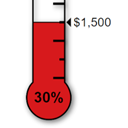
View plugin details ↗Displays a fully customisable thermometer for tracking donations or any other goal.
★ 4.4/5 (12)2,000+ active installations
- Version
- 2.3.0
- WordPress
- 5.0.3+
- PHP
- 7.0+
- Updated
- 7 Oct 2026
View plugin details ↗A simple plugin to automatically block spam Woo orders that began in October 2020.
★ 5.0/5 (10)1,000+ active installations
- Version
- 0.80
- WordPress
- 5.1+
- PHP
- 5.4+
- Updated
- 2 Jun 2026
View plugin details ↗Adds the built in WordPress categories and tags to your pages.
★ 4.8/5 (23)20,000+ active installations
- Version
- 1.4.3
- WordPress
- 6.0+
- PHP
- 8.0+
- Updated
- 7 Jan 2026
View plugin details ↗The SEO Optimized Images plugin lets you dynamically add SEO-Friendly "alt" and "title" attributes to your images.
★ 4.0/5 (27)10,000+ active installations
- Version
- 2.2.1
- WordPress
- 3.6+
- PHP
- 5.2+
- Updated
- 18 Sep 2026
View plugin details ↗Organize thousands of WordPress media files in folders / categories with ease.
★ 4.7/5 (1,126)200,000+ active installations
- Version
- 6.5.9
- WordPress
- 3.0+
- PHP
- 7.4+
- Updated
- 13 Oct 2026
View plugin details ↗Easily add beautiful, fully-customizable 3D viewers to your WooCommerce product galleries and WordPress pages! AR capabilies included.
★ 5.0/5 (4)900+ active installations
- Version
- 2.5.2
- WordPress
- 5.1+
- Updated
- 17 Oct 2026
View plugin details ↗A lightweight plugin that automatically minifies, compresses, and caches HTML, CSS, and JavaScript on demand to improve your website’s load speed.
★ 4.1/5 (73)8,000+ active installations
- Version
- 2.0.1
- WordPress
- 4.5+
- PHP
- 5.6+
- Updated
- 21 Aug 2026
View plugin details ↗Reclaim your admin dashboard: Get rid of annoying banners, unwanted ads and other nuisances.
★ 5.0/5 (5)400+ active installations
- Version
- 1.1.8
- WordPress
- 3.3.0+
- PHP
- 5.3+
- Updated
- 16 Aug 2026
View plugin details ↗Highlight your company’s history, milestones, and key events directly inside Elementor using stunning vertical and horizontal timelines.
★ 4.8/5 (248)70,000+ active installations
- Version
- 1.7.4
- WordPress
- 5.0+
- PHP
- 7.2+
- Updated
- 18 Nov 2026
View plugin details ↗Send Contact Form 7, WPForms, Elementor, Ninja Forms, WPforms, Elementor, Ninja Forms, Contact Form Entries Plugin and many other contact form submiss …
★ 4.9/5 (53)5,000+ active installations
- Version
- 1.4.5
- WordPress
- 3.8+
- PHP
- 5.3+
- Updated
- 6 Sep 2026
View plugin details ↗Provide an easy refund service and increase customer satisfaction with WooCommerce Return Refund, and Exchange Warranty Management Plugin.
★ 4.7/5 (124)4,000+ active installations
- Version
- 4.7.0
- WordPress
- 6.7.0+
- PHP
- 7.4+
- Updated
- 12 Nov 2026
View plugin details ↗