Blogsqode – Blog Layouts and News Post Design
By The_Krishna
Blogsqode is an effective and user-friendly way to beautify your blog pages on your websites.
★ 5.0/5 (3)300+ active installations
- Version
- 2.0.0
- WordPress
- 4.9+
- PHP
- 5.4+
- Updated
- 20 May 2026
WORDPRESS RESOURCES
Explore public plugin information from the official WordPress.org directory. Compare what a plugin does, its requirements and update history before adding it to your website.
Explore WordPress hosting →1,512 matching plugins reported by WordPress.org · Page 14 of 50
Source: WordPress.org
Data refreshed 27 Nov 2026 22:52 UTC
By The_Krishna
Blogsqode is an effective and user-friendly way to beautify your blog pages on your websites.
Show customer testimonials and reviews with photos, star ratings and company details in a testimonial slider or grid. No coding needed.

By SVGator
The easiest way to add SVG animations to your website right from your SVGator account.

By The Imperfect Mind
Connect Claude, ChatGPT, Codex, Gemini or any MCP app to your Divi 5 site and build pages with your design system's colors, fonts and presets.
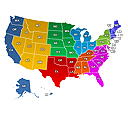
Create engaging Interactive United States Maps in WordPress for free. It's easy to install, simple, and highly customizable.

By wallsio
Embed Walls.io social walls into WordPress posts with just one click!

By wpbranddigital
Gutenberg logo carousel block. Show client & partner logos with slider, grid, masonry, multi-row layouts, tooltips, and full style controls.

By FARAZFRANK
Create stunning responsive sliders in minutes. Drag-and-drop builder, unlimited sliders, mobile-friendly & SEO optimized!

By fullworks
Display your upcoming Eventbrite events quickly and easily.

By Notification Master
Send push, email, and real-time notifications across 12+ channels like WhatsApp, Slack, and Discord. Boost engagement automatically.

By grooni
Groovy Menu is a Free responsive Mega Menu plugin that will allow you easily to add an awesome menu on your site and improve website navigation.

By Brainstorm Force
Lightweight SEO assistant for meta tags, schema and structured data, XML sitemaps, Open Graph previews, robots.txt, and Search Console.
CHOOSE WHAT YOUR WEBSITE NEEDS
Start with the task you need to solve. Compare features, WordPress and PHP requirements, update history and the author’s documentation. Test changes on a private copy and avoid adding several plugins for the same job.
This independent directory displays plugin information on WebFulHost and links to the official source. Packages are not mirrored or installed here. A plugin can include paid extensions or services with separate terms from its author.