

MCP server for WordPress. Connect Claude, ChatGPT, Cursor or any MCP client to manage content, themes and settings, with approvals.
★ 5.0/5 (221)100,000+ active installations
- Version
- 1.24.1
- WordPress
- 6.0+
- PHP
- 7.4+
- Updated
- 19 Nov 2026
WORDPRESS RESOURCES
Explore public plugin information from the official WordPress.org directory. Compare what a plugin does, its requirements and update history before adding it to your website.
Explore WordPress hosting →10,000 matching plugins reported by WordPress.org · Page 14 of 50
Source: WordPress.org
Data refreshed 21 Nov 2026 10:15 UTC
MCP server for WordPress. Connect Claude, ChatGPT, Cursor or any MCP client to manage content, themes and settings, with approvals.

By maxfoundry
Maxbuttons is the best and easiest button plugin for WordPress. Within minutes you can create beautiful buttons, share buttons and social icons.

By Pektsekye
It adds drop-down, radio button and text field options on the product page.

By Elliot Sowersby / RelyWP
Easily generate a realistic audio version for your content and posts using OpenAI's Text to Speech API.

By Softaculous
The most advanced frontend drag & drop page builder. Pagelayer is a light weight but extremely powerful Website Builder.

By Kazuki Yanamoto
This plugin will protect the posts content from copying by disable right click and disable selecting text. You can exclude pages and posts.

By Gijo Varghese
Ensure text remains visible during webfont load, reduce FOUT, and improve performance for a smoother user experience.
AI alt text generator for WordPress, WooCommerce & Yoast. Bulk-fix missing alt tags in minutes — boost image SEO and WCAG accessibility.

By David Vongries
Customize the WordPress login screen: logo, background, login form & links. Plus your own admin footer text.

By Jürgen Müller
Collect and show your favorite Quotes / Reviews / Testimonials or any other short snippet of Text.
WooCommerce Email Customizer plugin lets you customize transactional emails using a template builder, adding text, images & more to match your brand
By prismtechstudios
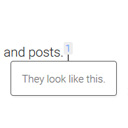
Add inline footnotes to your posts. On desktop, the footnotes will appear as tooltips. On mobile, the footnote will expand beneath the text.
CHOOSE WHAT YOUR WEBSITE NEEDS
Start with the task you need to solve. Compare features, WordPress and PHP requirements, update history and the author’s documentation. Test changes on a private copy and avoid adding several plugins for the same job.
This independent directory displays plugin information on WebFulHost and links to the official source. Packages are not mirrored or installed here. A plugin can include paid extensions or services with separate terms from its author.

