InclusaBar
By muzKore
A lean, focused accessibility toolbar for WordPress. No bloat — just the features that matter.
0+ active installations
- Version
- 1.2.0
- WordPress
- 6.0+
- PHP
- 8.0+
- Updated
- 10 Oct 2026
WORDPRESS RESOURCES
Explore public plugin information from the official WordPress.org directory. Compare what a plugin does, its requirements and update history before adding it to your website.
Explore WordPress hosting →365 matching plugins reported by WordPress.org · Page 14 of 31
Source: WordPress.org
Data refreshed 25 Nov 2026 00:11 UTC
By muzKore
A lean, focused accessibility toolbar for WordPress. No bloat — just the features that matter.

By InDesign Media
Turn your WordPress site into an installable app. No coding, no app store, no build tools.
A lightweight WordPress maintenance mode plugin with scheduling, branding, secret access URLs, social links, and a responsive maintenance page.

By Bhavik Panchal
Disable or freeze WordPress core, plugin, and theme updates — globally or per item. Activity log, admin-bar status, and WP-CLI included.
Track AI traffic, sources and landing pages from ChatGPT, Gemini, Perplexity, Claude and other AI assistants.
AI powered SEO assistant & content writer with 40+ templates, chatbot, NLP keyword research, AEO, GEO, SEO analysis for WordPress,

By compath
Choir rehearsal library for voice part rehearsal: songs, up to 4 voice tracks per song, and sheet music.

By Muhammad Mujahid Sarfraz
Prepare supported site changes privately in a workspace, preview them, resolve conflicts and publish when ready.

By cr8vstacks
Beautiful syntax highlighting for WordPress: 40+ languages, copy buttons, line numbers, line wrapping, collapse and a dark or light theme.
By moayyed alharthi
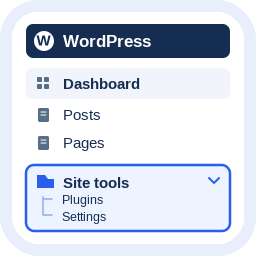
Help clients find everyday work with clear admin menu groups, live preview and easy recovery.

By SanBar
Product tables, cards and printable catalogs for WooCommerce, with a visual builder, filters, variations and bulk add-to-cart.

By codelith
Create animated preloaders, responsive bottom menus, WooCommerce product layouts, and custom account forms with optional theme overrides.
CHOOSE WHAT YOUR WEBSITE NEEDS
Start with the task you need to solve. Compare features, WordPress and PHP requirements, update history and the author’s documentation. Test changes on a private copy and avoid adding several plugins for the same job.
This independent directory displays plugin information on WebFulHost and links to the official source. Packages are not mirrored or installed here. A plugin can include paid extensions or services with separate terms from its author.