

Show Pages IDs
By YYDevelopment
This plugin will show the IDs of posts and pages on the admin bar and on the admin panel.
★ 5.0/5 (103)10,000+ active installations
- Version
- 1.5.6
- WordPress
- 5.0+
- PHP
- 5.2.4+
- Updated
- 13 Aug 2026
WORDPRESS RESOURCES
Explore public plugin information from the official WordPress.org directory. Compare what a plugin does, its requirements and update history before adding it to your website.
Explore WordPress hosting →4,371 matching plugins reported by WordPress.org · Page 14 of 50
Source: WordPress.org
Data refreshed 22 Nov 2026 17:43 UTC
By YYDevelopment
This plugin will show the IDs of posts and pages on the admin bar and on the admin panel.
By Roland Murg
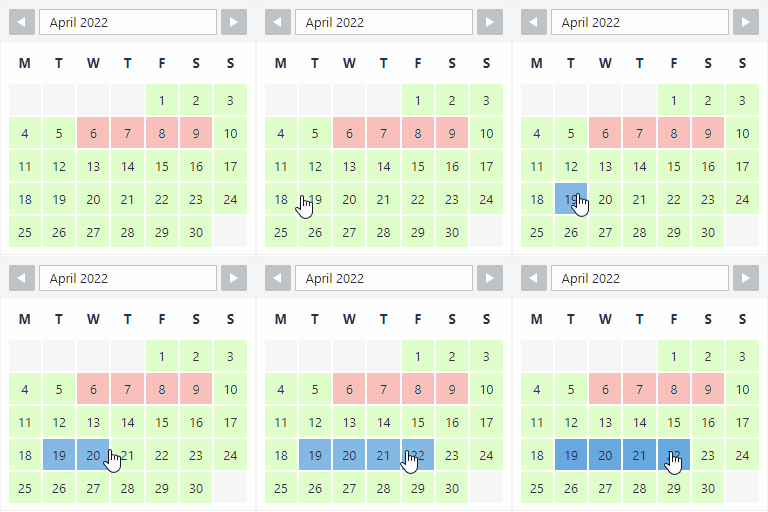
The booking calendar plugin for WordPress. Get easy online booking with this lightweight and powerful booking calendar.
By Roland Murg
This booking calendar shows when something is booked or available. Use it to show when your holiday home is available for rent, for example.
By Katsushi Kawamori
Display plugins condition and performs a basic site check.

By Jeff Starr
Activate this plugin to disable the Lazy Loading feature that was added in WP v5.5.

By Harish Chouhan
Enable your visitors to easily like or recommend your posts with a single click, enhancing engagement without the need for comments.

By Felix Arntz
This lightweight plugin enhances user experience by enabling smooth scrolling for anchor links without the need for jQuery or other dependencies.

By Themeum
WP Crowdfunding is a WordPress plugin for fundraising/backer sites. This WooCommerce based plugin lets you launch a site like Kickstarter easily.

By videogallery
The easiest way to create beautiful Vimeo video galleries on your WordPress site.

By Carl Gross
To the plugins admin table, adds a new column indicating the last time the plugin developer released an update.

By Softaculous
SiteSEO is an easy, fast and powerful SEO plugin for WordPress. Unlock your Website's potential and Maximize your online visibility with our SiteSEO!
Log in as any WordPress user with one click. Troubleshoot issues and support customers without asking for their password.
CHOOSE WHAT YOUR WEBSITE NEEDS
Start with the task you need to solve. Compare features, WordPress and PHP requirements, update history and the author’s documentation. Test changes on a private copy and avoid adding several plugins for the same job.
This independent directory displays plugin information on WebFulHost and links to the official source. Packages are not mirrored or installed here. A plugin can include paid extensions or services with separate terms from its author.
