

HUBBED Click & Collect
By hubbedwordpress
Click & Collect made easy Enable the convenience of customer choice with the HUBBED Click & Collect WooCommerce plugin.
0+ active installations
- Version
- 4.1
- WordPress
- 3.5+
- PHP
- 5.0+
- Updated
- 10 Oct 2023
WORDPRESS RESOURCES
Explore public plugin information from the official WordPress.org directory. Compare what a plugin does, its requirements and update history before adding it to your website.
Explore WordPress hosting →186 matching plugins reported by WordPress.org · Page 15 of 16
Source: WordPress.org
Data refreshed 21 Nov 2026 15:27 UTC
By hubbedwordpress
Click & Collect made easy Enable the convenience of customer choice with the HUBBED Click & Collect WooCommerce plugin.

By probelix
Easily integrate Blowball in Wordpress.

By Puzzlestudios
Sync your business locations with Uberall – keep NAP data, photos, and listings accurate across Google, Facebook, and hundreds of directories.

By 1webworldinc
Review saved WordPress content, find common formatting issues, and apply selected fixes with revision support.

By Jordan Humphreys
Boldmapper's Store Locator is an easy way to add a product locator to your application. Product locators are useful for pointing your customers t …

By Dalibor
WP plugin for showing nearby dealer stores around typed zip, city or full address. It can be showed on maps within chosen radius.

By Pinpoint Store Locator
Store Locator software provide solutions for websites who have multiple store and want to show their location on their website (one place) with 20 day …

By Alok Shrestha
This is a wordpress store locator plugin for posts. We can setup stores for individual posts/products.

By ascsoftw
Ascsoftw Store Locator is a powerful plugin which lets your users Search the Nearest Stores and display them in highly customized Google Maps.
By themegeekio
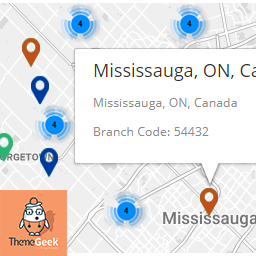
Easiest and Fastest Map plugin ever

By Bryan Sebastian
b-Locator is a plugin that can generate custom locator ( e.g. Store Locator, Distributor Locator, etc. )

By Curtiss Grymala
Scans a multisite or multi-network installation to identify all plugins that are active or not.
CHOOSE WHAT YOUR WEBSITE NEEDS
Start with the task you need to solve. Compare features, WordPress and PHP requirements, update history and the author’s documentation. Test changes on a private copy and avoid adding several plugins for the same job.
This independent directory displays plugin information on WebFulHost and links to the official source. Packages are not mirrored or installed here. A plugin can include paid extensions or services with separate terms from its author.