Block List Updater
By pluginkollektiv
Automatic updating of the comment block list in WordPress with antispam keys from GitHub.
★ 4.3/5 (4)2,000+ active installations
- Version
- 1.0.2
- WordPress
- 3.8+
- PHP
- 5.2+
- Updated
- 24 Jun 2026
WORDPRESS RESOURCES
Explore public plugin information from the official WordPress.org directory. Compare what a plugin does, its requirements and update history before adding it to your website.
Explore WordPress hosting →1,517 matching plugins reported by WordPress.org · Page 15 of 50
Source: WordPress.org
Data refreshed 21 Nov 2026 05:48 UTC
By pluginkollektiv
Automatic updating of the comment block list in WordPress with antispam keys from GitHub.

By mihdan
ReCrawler is a small WordPress Plugin for quickly notifying search engines whenever their website content is created, updated, or deleted.

By AnyWareX
Clone and duplicate posts and pages into multiple languages with clean URL prefixes and a lightweight workflow.

By David Decker
Connect Polylang with Elementor: translated templates, language switcher widget, language visibility conditions and more
Appointment scheduling & event booking plugin for WordPress. Let clients self-schedule 24/7, register for events, and pay at booking.
Redirect manager for 301, 302 and 307 redirection. Monitor and fix 404 errors, log every broken link and protect your SEO after a migration.
WooCommerce PDF invoice generator with automatic invoice email attachment. Create packing slips, shipping labels, credit notes, multilingual.
Automatically post contents, create news feeds, import and display unlimited RSS feeds from various sources in a few clicks!
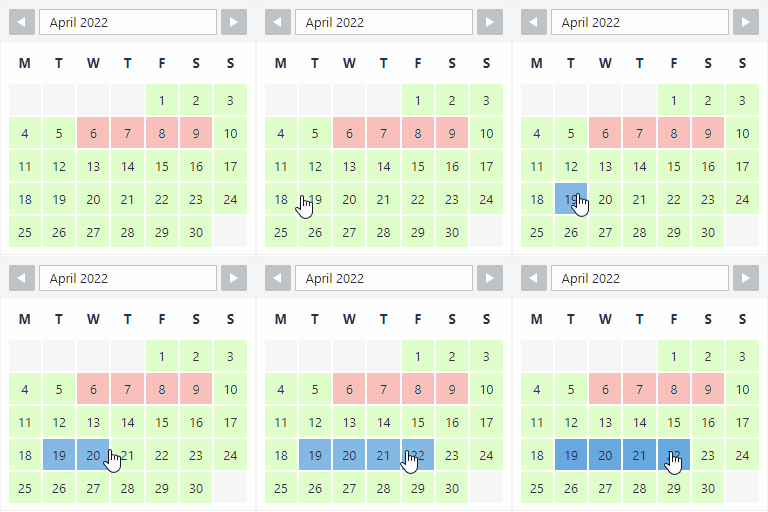
By Roland Murg
The booking calendar plugin for WordPress. Get easy online booking with this lightweight and powerful booking calendar.

By Felsflow
Keep your website clean by automatically deleting posts using a wide range of powerful filters.
Show a waitlist form on out-of-stock products and automatically email subscribers when items are restocked. Turn lost sales into customers.

By Octolize Shipping Plugins
Offer your customers the Australia Post shipping methods with real-time calculated shipping rates for domestic and international shipping.
CHOOSE WHAT YOUR WEBSITE NEEDS
Start with the task you need to solve. Compare features, WordPress and PHP requirements, update history and the author’s documentation. Test changes on a private copy and avoid adding several plugins for the same job.
This independent directory displays plugin information on WebFulHost and links to the official source. Packages are not mirrored or installed here. A plugin can include paid extensions or services with separate terms from its author.