

Floating Menus, Sticky Buttons, & Popup builder. WhatsApp Chat, Facebook Messenger, Telegram, Live Chat, Call, SMS, Email & more.
★ 4.5/5 (151)70,000+ active installations
- Version
- 3.6.1
- WordPress
- 4.7+
- PHP
- 7.0+
- Updated
- 13 Oct 2026
WORDPRESS RESOURCES
Explore public plugin information from the official WordPress.org directory. Compare what a plugin does, its requirements and update history before adding it to your website.
Explore WordPress hosting →9,195 matching plugins reported by WordPress.org · Page 15 of 50
Source: WordPress.org
Data refreshed 28 Nov 2026 23:05 UTC
Floating Menus, Sticky Buttons, & Popup builder. WhatsApp Chat, Facebook Messenger, Telegram, Live Chat, Call, SMS, Email & more.

By farazify
Display the beautiful WhatsApp Sticky Button on the WordPress frontend.
Poll plugin is a responsive and customizable for WordPress. Poll will help you more easily create powerful poll, image & video poll, vote, results.

By edmon.parker
Easily hide or reveal long content with Read More buttons, accordions, and popups. Streamline your WordPress site's layout while enhancing user e …

Elementor addons with 18+ free widgets, Header & Footer Builder, WooCommerce widgets & templates. Trusted by 2+ million websites.

By WP Folio Team
Password protect WordPress pages and posts by user roles or with multiple passwords; protect your entire website with a single password.
Highlight your company’s history, milestones, and key events directly inside Elementor using stunning vertical and horizontal timelines.
Displays social sharing icons along with fancy floating back to top and go to bottom links along with go to next post, previous post and random post l …

By Tobias @Saleswonder.biz
Turn ‘just another CF7 form’ into a branded experience across all your forms. WOW Styler for CF7 lets you style multiple Contact Form 7 forms visually …
Showcase variations and impress your customers with beautiful swatches such as color, button, image, and more.
By Arnelio Team
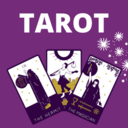
The best tarot plugin for wordpress. Intuitive and easy to use. Provides accurate tarot readings.

By Joe Dolson
WP Accessibility fixes common accessibility issues in your WordPress site.
CHOOSE WHAT YOUR WEBSITE NEEDS
Start with the task you need to solve. Compare features, WordPress and PHP requirements, update history and the author’s documentation. Test changes on a private copy and avoid adding several plugins for the same job.
This independent directory displays plugin information on WebFulHost and links to the official source. Packages are not mirrored or installed here. A plugin can include paid extensions or services with separate terms from its author.



