

Addon Elements for Elementor comes with 40+ widgets and extensions to extend the power of Elementor Page Builder.
★ 4.8/5 (172)80,000+ active installations
- Version
- 1.15.1
- WordPress
- 5.0+
- PHP
- 7.4+
- Updated
- 3 Nov 2026
WORDPRESS RESOURCES
Explore public plugin information from the official WordPress.org directory. Compare what a plugin does, its requirements and update history before adding it to your website.
Explore WordPress hosting →8,659 matching plugins reported by WordPress.org · Page 15 of 50
Source: WordPress.org
Data refreshed 20 Nov 2026 08:40 UTC
Addon Elements for Elementor comes with 40+ widgets and extensions to extend the power of Elementor Page Builder.

By Ajay
Keep visitors on your site longer with intelligent, fast-loading, contextually related posts. Block, shortcode, custom post type and widget ready.

By Pankaj Anupam
Runs shortcodes in the Custom HTML widget, the one sidebar widget WordPress still renders without executing them.

By Vrutika Darji
View and paginate database table data in a user-friendly format.

By Keith Griffiths
Let visitors check the IP address your website sees, with optional hostname, browser, and referrer details. Add a shortcode to a page, post, or widget …
By Md Monirul Alom
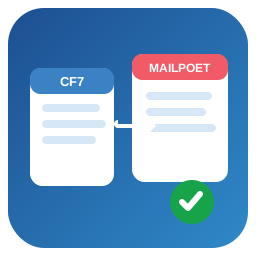
Map Contact Form 7 submissions to MailPoet subscribers with per-form field mapping, consent control, list selection, and error logging.

By Forge12 Interactive GmbH
Protect your Contact Form 7 forms with GDPR-compliant Double Opt-In. Ensure valid emails, prevent fake signups, and stay compliant.

By Carl Alberto
Quickly block unwanted IPs in your WP site with CDN/proxy-aware IP detection

By Michael Ott
Restores the ability to manually delete Kadence Security (formerly Solid Security / iThemes Security) logs from the database.

By Yevhen Leonidov
Complete security platform for everyday: block bots, brute-force, viruses, spam, fake crawlers. WAF, 2FA, no-malware, proactive defense.
A profiler to measure the performance of your WordPress plugins and themes.
JetHost Total Care simplifies WordPress management by consolidating features like security, site enhancements and performance into a single plugin.
CHOOSE WHAT YOUR WEBSITE NEEDS
Start with the task you need to solve. Compare features, WordPress and PHP requirements, update history and the author’s documentation. Test changes on a private copy and avoid adding several plugins for the same job.
This independent directory displays plugin information on WebFulHost and links to the official source. Packages are not mirrored or installed here. A plugin can include paid extensions or services with separate terms from its author.

