

Scouting OpenID Connect
By Scouting Nederland
WordPress plugin for logging in with Scouting Nederland OpenID Connect Server.
30+ active installations
- Version
- 2.7.1
- WordPress
- 6.9.5+
- PHP
- 8.2+
- Updated
- 18 Nov 2026
WORDPRESS RESOURCES
Explore public plugin information from the official WordPress.org directory. Compare what a plugin does, its requirements and update history before adding it to your website.
Explore WordPress hosting →743 matching plugins reported by WordPress.org · Page 15 of 50
Source: WordPress.org
Data refreshed 21 Nov 2026 15:37 UTC
By Scouting Nederland
WordPress plugin for logging in with Scouting Nederland OpenID Connect Server.

By alesas
Lightweight WordPress forms with conditional logic, multi-step, SMTP, webhooks, Brevo & Mailchimp sync, file uploads, spam protection, and inbox.
By tharkun69
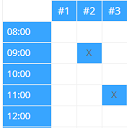
Create configurable occupancy schedules and let visitors view, request and manage bookings directly in the WordPress frontend.

Migrate and sync products, orders, customers and inventory between WooCommerce and Shopify. Works in either direction, one-time or ongoing.

By Gaurav Tiwari
Page caching, unused CSS removal, and Cloudflare Free edge caching that never caches a cart or checkout. Everything runs on your own server.
WordPress optimization plugin and all-in-one toolkit for performance, security, SEO, content, media, users, and site management.

By CodeWP
Privacy-first WordPress security hardening, login protection, and local audit logging.

By wxdlabs
Reliable WordPress backup, restore, and migration workflows for agencies, freelancers, and serious site owners.

By DeerwoodMedia
Country blocking and intelligent IP protection for WordPress, powered by Cloudflare.

By Volodymyr Karasov
Give customers a self-service returns portal and manage every RMA, approval, and refund from one clean dashboard inside WooCommerce.

Allow customers to select a preferred delivery date during WooCommerce checkout. Configure shipping delays, block holidays, and manage local logistics …

By cleverplugins
Google Search Console in WordPress: keyword insights, on-page SEO, internal links. AI via WordPress Connectors or SEO Booster Credits.
CHOOSE WHAT YOUR WEBSITE NEEDS
Start with the task you need to solve. Compare features, WordPress and PHP requirements, update history and the author’s documentation. Test changes on a private copy and avoid adding several plugins for the same job.
This independent directory displays plugin information on WebFulHost and links to the official source. Packages are not mirrored or installed here. A plugin can include paid extensions or services with separate terms from its author.
