

Arosis Visibility
By arosis
arosis — AI visibility software for local businesses
0+ active installations
- Version
- 1.1.9
- WordPress
- 5.8+
- PHP
- 7.4+
- Updated
- 15 Nov 2026
WORDPRESS RESOURCES
Explore public plugin information from the official WordPress.org directory. Compare what a plugin does, its requirements and update history before adding it to your website.
Explore WordPress hosting →267 matching plugins reported by WordPress.org · Page 15 of 23
Source: WordPress.org
Data refreshed 25 Nov 2026 07:09 UTC
By arosis
arosis — AI visibility software for local businesses

By Plugin Pros
Answer WhatsApp, Messenger, Instagram, Telegram, SMS, email, and live chat from one WordPress inbox, with AI replies and team routing.

By heyfardo
Make your WordPress site readable by AI crawlers (llms.txt, JSON-LD, bot tracking) and monitor your brand's AI visibility from wp-admin.

By tryosoft
A chat widget that answers FAQs, finds products and fills the cart in your WooCommerce store. Lightweight, no AI key or account needed.

By Bjjoha
Track AI search traffic (ChatGPT, Claude, Perplexity) vs traditional search (Google, Bing). Privacy-friendly, all data stays on your server.

By shadrinmmm
Free AI Readiness Score, schema & robots.txt check for ChatGPT, Gemini, Claude and Google AI Overviews. Site-wide auto-fixes on Pro.

By Cognitolab (Ivan Omelianenko)
Accessibility checker for WordPress: find WCAG issues in posts and pages and fix them in your content with AI alt text. No overlay widget.
See which WooCommerce visits and orders come from ChatGPT, Perplexity, Copilot, Gemini and other AI assistants, right in your store admin.

By observedai2
Transform every reader into a citation. The free WordPress plugin for the AI-native web.
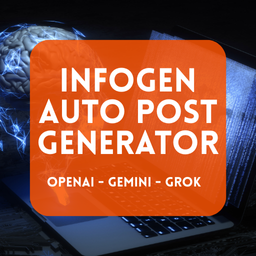
By infogen
Generates one SEO-optimized article (~500-600 words) hourly in the chosen language using APIs like OpenAI, Gemini, or Grok (no affiliation).

By maketrend
See which AI crawlers fetch your pages and how many visits arrive from AI answers. Counts only, nothing that identifies visitors.
Translate WPML jobs with OpenAI. Background queue, chunking, resume after timeouts, and a full job log for every translation.
CHOOSE WHAT YOUR WEBSITE NEEDS
Start with the task you need to solve. Compare features, WordPress and PHP requirements, update history and the author’s documentation. Test changes on a private copy and avoid adding several plugins for the same job.
This independent directory displays plugin information on WebFulHost and links to the official source. Packages are not mirrored or installed here. A plugin can include paid extensions or services with separate terms from its author.

